Linken Sphere & RoundProxies — Setup Guide to Bypass Anti-Fraud
To work confidently with multi-accounting and bypass anti-fraud systems, it’s not enough to rely solely on an anti-detect browser — stable, high-quality proxies are just as critical. Proxies ensure clean IP reputation, consistent connections, and help make each browser profile appear as a real, independent user device. This combination significantly reduces the risk of blocks and account limitations.
As a reliable proxy solution, RoundProxies stands out — offering fast, stable IPs that integrate seamlessly with Linken Sphere, allowing you to configure and start working in just a couple of clicks.
How to get started with Linken Sphere
RoundProxies is a global premium proxy provider with an extensive IP network covering over 190 countries and thousands of cities worldwide. The platform offers multiple proxy types — including residential, ISP, datacenter, and mobile — allowing users to choose the optimal solution for web scraping, multi-accounting, bypassing restrictions, and geo-targeting. The proxies deliver high speed, stability, and flexible configuration options, with granular control over sessions and geolocation, and support all major protocols (HTTP/S, SOCKS5).
The service has high ratings on platforms like Trustpilot and G2, and offers a promo code for new users that provides a discount on their first purchase.
How to integrate Roundproxies into Linken Sphere?
The first step is simple: register and log in to the service. The main screen of the service greets us with a pricing list featuring proxy types, geolocations, and other settings.
Datacenter proxy prices are around $0.30 per IP. They are sold in batches starting from 20 units with a one-month term. The effective starting price comes to approximately $0.40–0.45 per IP. Proxies are available to choose from in the USA, Germany, and France.
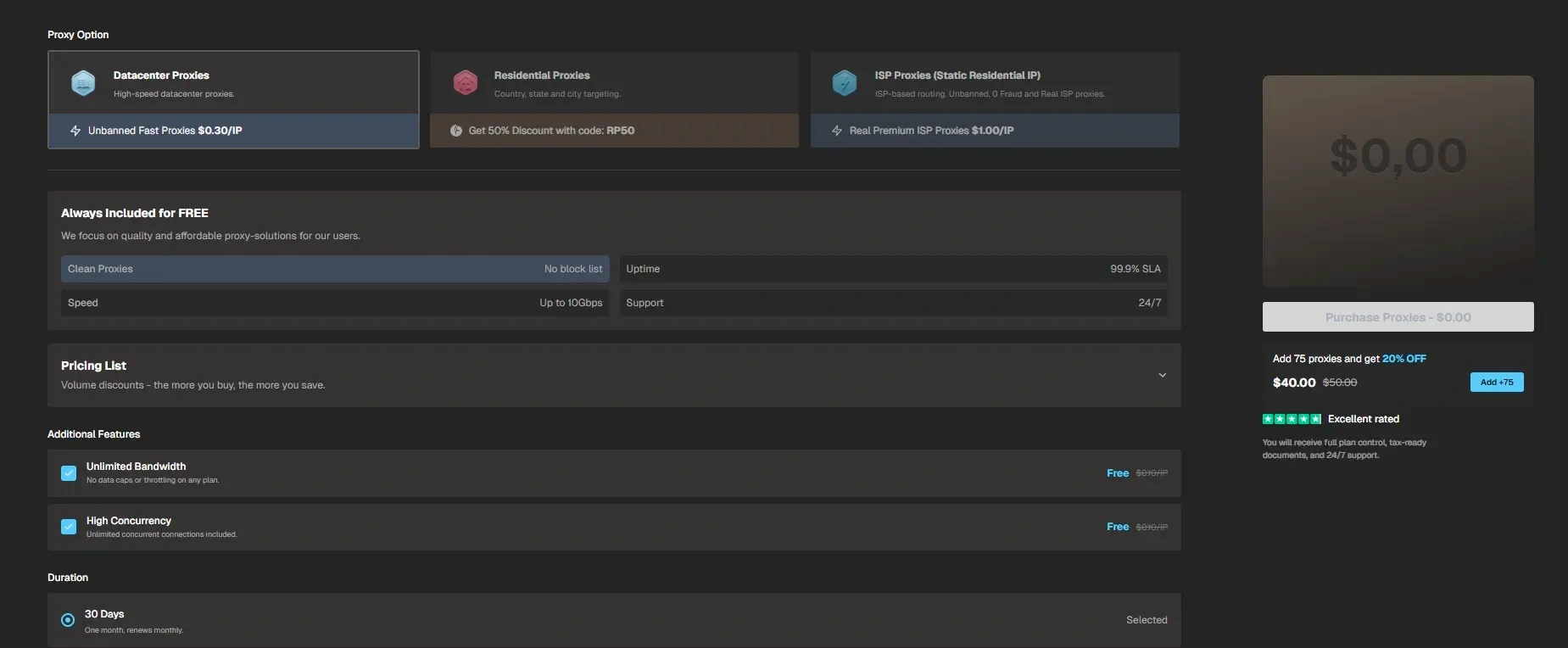
The interface is very intuitive — hover over any feature, and you’ll see a short explanation of what it does.
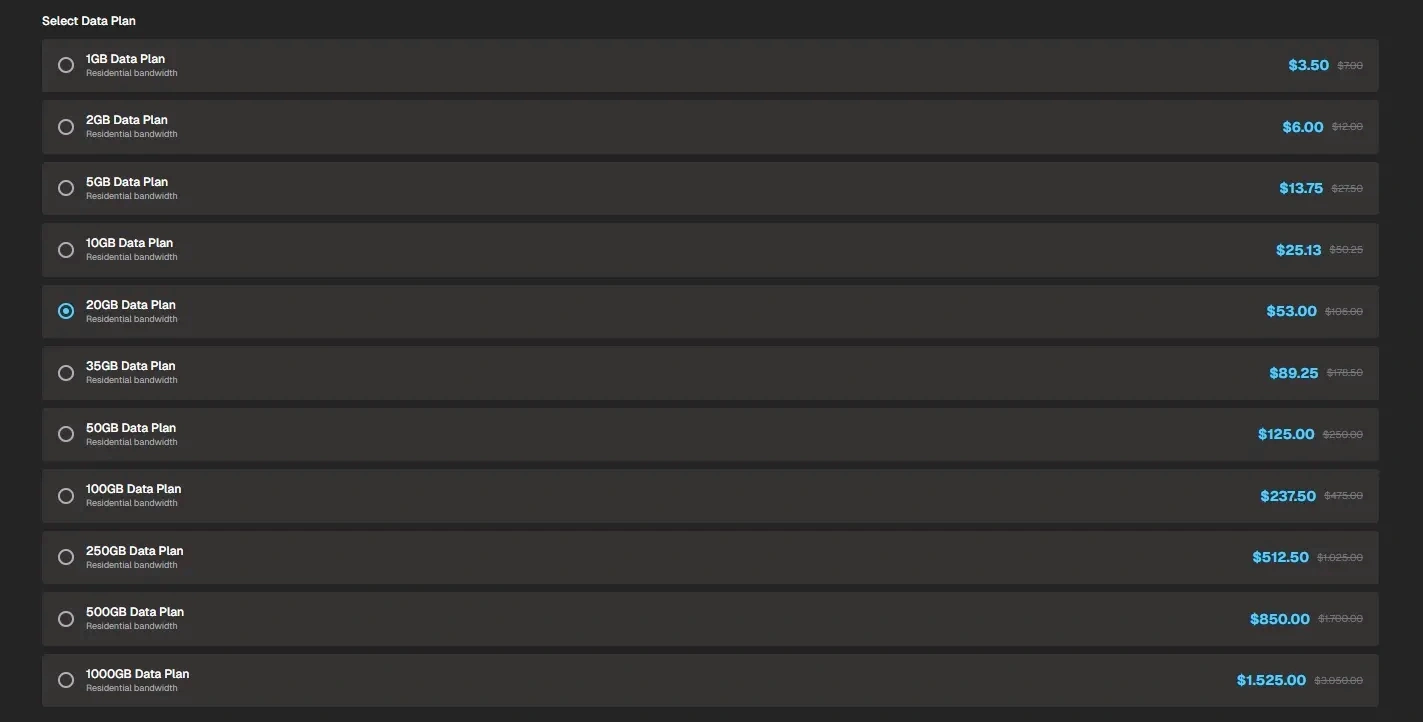
Residential proxies are sold with a set traffic volume, and the price depends on the amount purchased — the larger the volume, the lower the cost.
ISP proxy pricing is around $1 per IP per month, and with additional options, the cost can go up to about $1.4.
Purchase the required type of proxy, copy the connection details, and move to Linken Sphere.
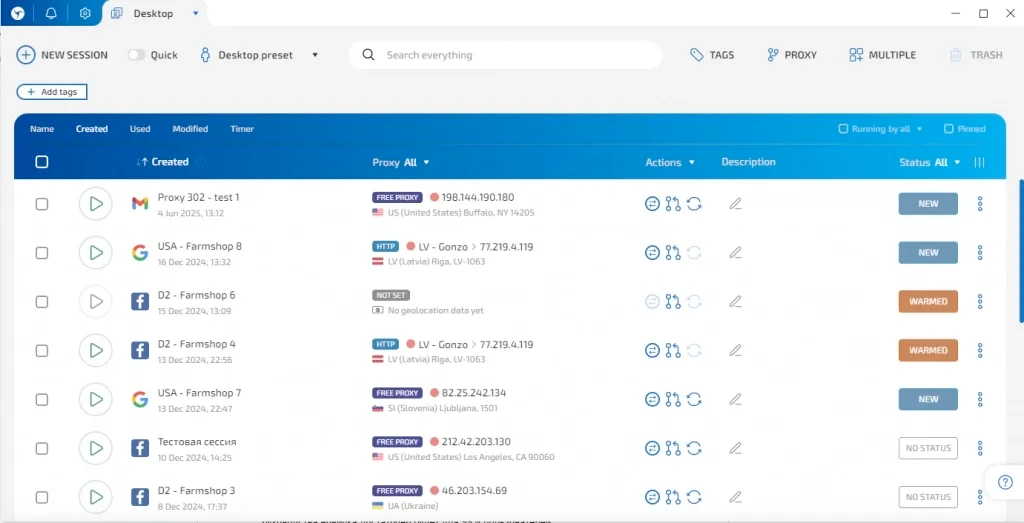
To create a regular profile, click “New session” — this opens the profile editor.
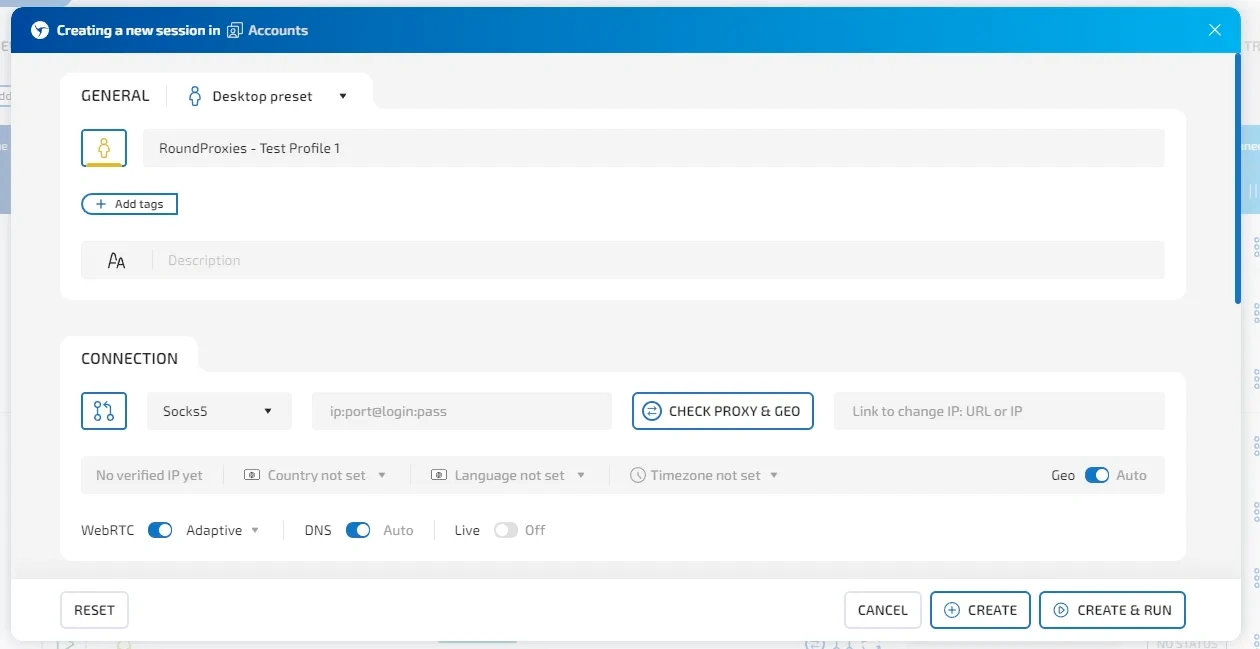
After giving your profile a name (and optionally a description or tags), the next step is choosing a connection type. The browser supports SOCKS5, HTTP, SSH, direct connection, TOR, and Localhost. It also includes built-in free proxies and paid high-quality residential ones.
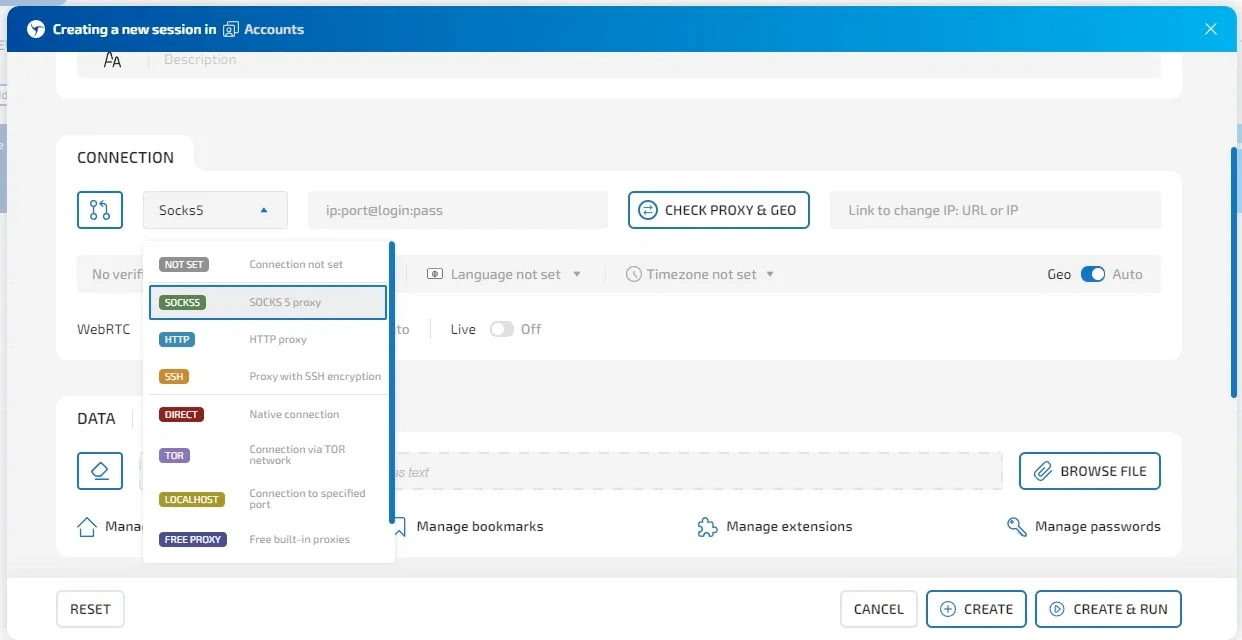
All you need to do is copy your Roundproxies connection details and paste them in any format you prefer.
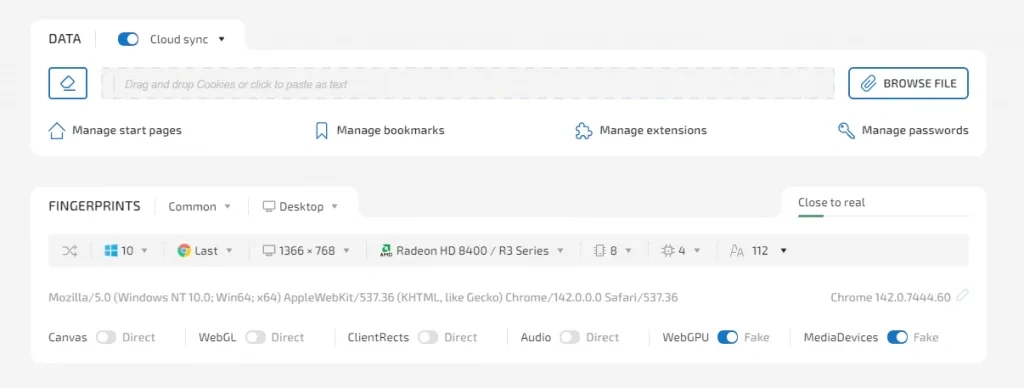
Next, run a quick check using “Check proxy & GEO”, then move on to configuring the browser environment — cookies, start page, extensions (if the profile is for a fresh account, you can skip this part).
Choose your browser fingerprint. If you're new to this, the indicator on the right shows how natural your settings look and helps you avoid common mistakes.
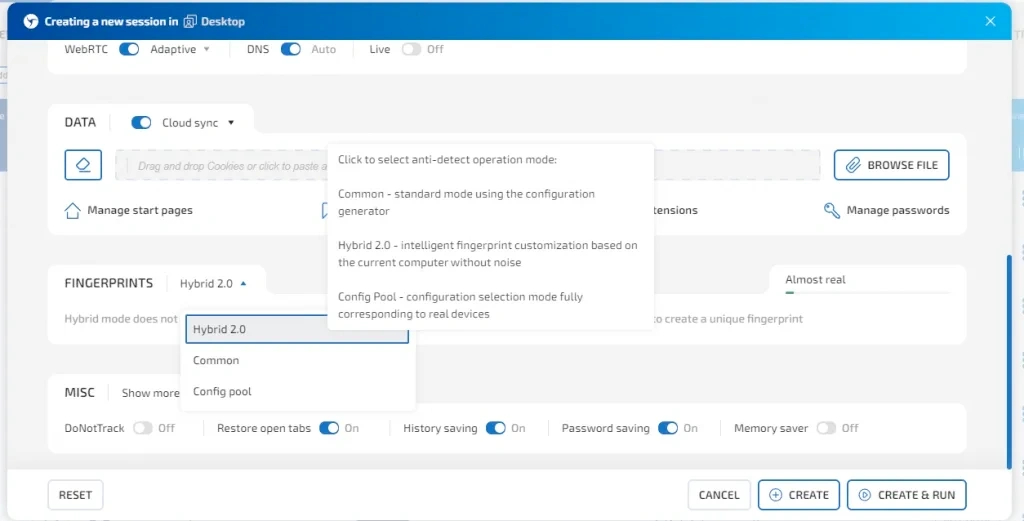
The browser offers three fingerprint modes:
- full manual configuration
- Hybrid 2.0
- a pool of real device configurations
If you don't need to fine-tune anything, the hybrid mode will automatically generate an optimal setup based on your device.
Once everything is set, simply save and launch your profile — you’re ready to go.
If you want to create profiles in one click, just select the quick-create option on your workspace and choose a preset (if you want consistent settings).

From that moment on, you’ll be able to generate new profiles instantly, with zero manual configuration.
Proxy Manager in Linken Sphere
The browser includes a convenient proxy manager that makes working with proxies much easier.

You can add individual IPs manually and assign them to specific profiles later, or import large proxy lists in bulk.
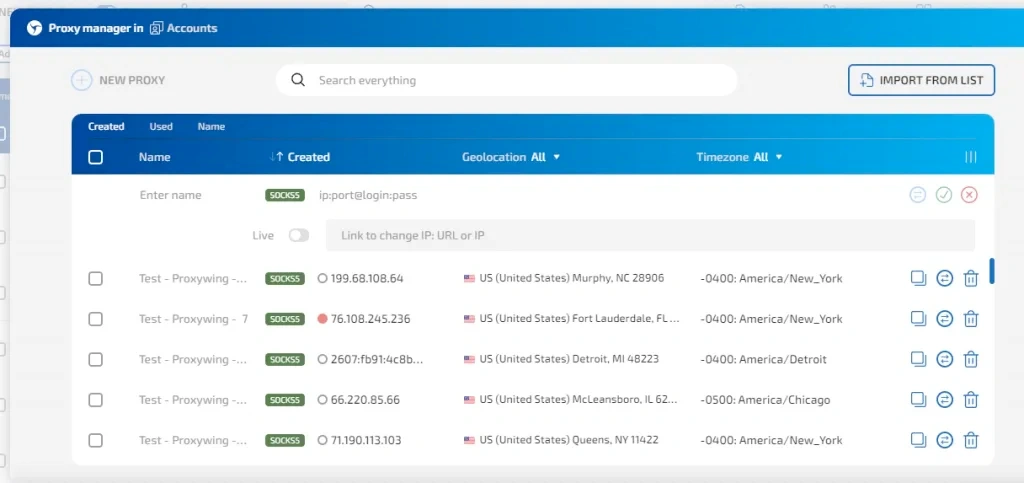
Simply paste your proxy details, choose the connection protocol, and save them.
For bulk imports, open the “Import from list” menu and insert your full proxy list.

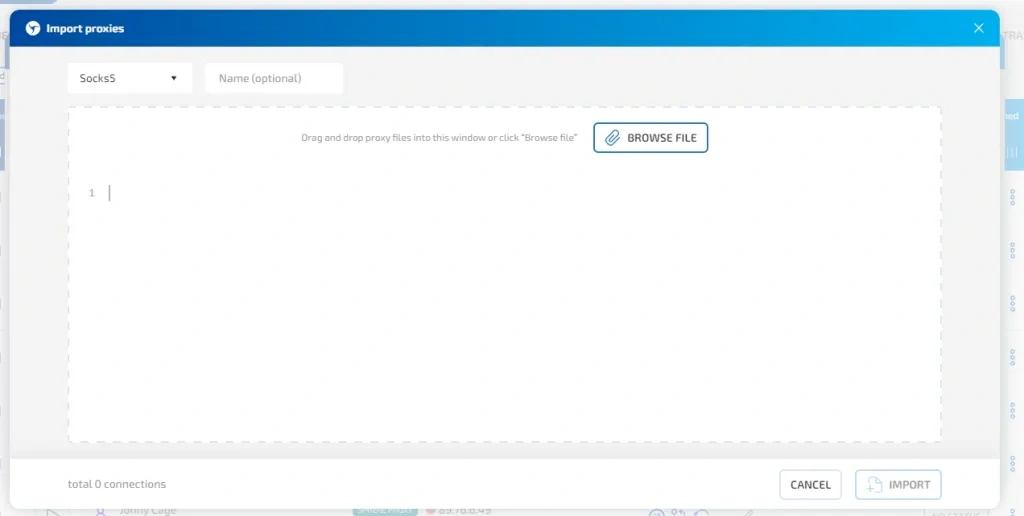
You can also assign names to your proxies during import to keep everything organized — the system will automatically apply the names in sequential order.
Is it worth using RoundProxies together with Linken Sphere?
If your workflow involves managing a large number of browser profiles with full isolation between accounts, working without an anti-detect browser becomes nearly impossible. There are many solutions on the market today — each with its own fingerprint quality, stability, features, and pricing — so it’s always best to choose the tool that truly fits your style.
Linken Sphere remains one of the industry’s key innovators, continuously introducing unique features and improving its fingerprint technology in tandem with Google Chrome updates. It’s a long-standing market leader with a strong reputation for reliability.
Integrating RoundProxies proxies takes just a couple of clicks — everything imports smoothly, whether you add proxies manually or upload them in bulk. If the Roundproxies terms suit your needs, give them a try in practice. The service guarantees high speed and a stable connection, and also provides discount promo codes for new users.