Gologin Antidetect Browser — Honest Review and Comparison with Linken Sphere
High competition in the antidetect browser market forces project marketers to use less than ethical promotion formats. Instead of systematically improving their own product, they choose gossip, lies, and manipulation to present competitors in an unfavorable light.
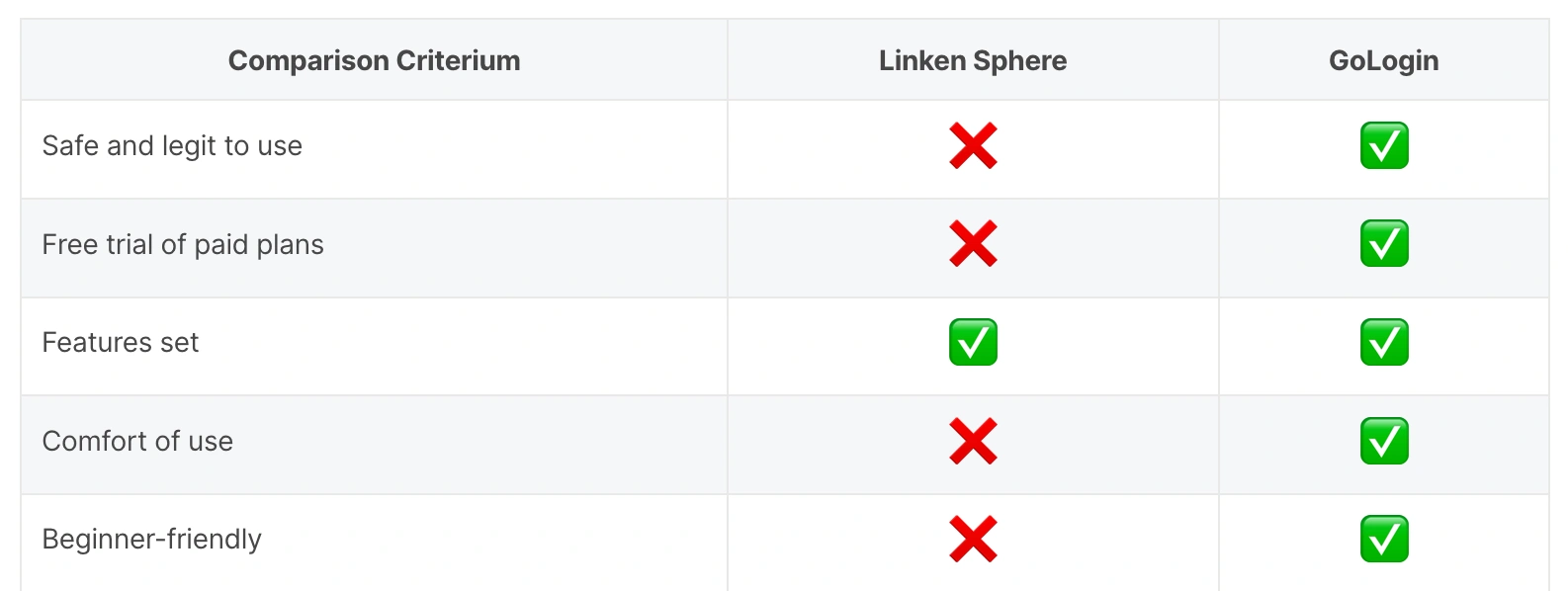
A prime example is the Linken Sphere review on the Gologin blog, where the author substitutes concepts and presents their guesses as facts, almost completely bypassing the comparison of the most important thing — functionality. Our team believes that when choosing a working tool, its technical capabilities are of primary importance. And since our colleagues' material has not been updated for a couple of years, we have prepared an up-to-date comparison of the two products.
Functionality and technical features of the browsers
Both browsers provide the full basic functionality required for standard tasks:
- Creating profiles with the necessary configuration both in manual mode and quickly — in one click, with preset settings
- Importing proxies when creating a profile, as well as through the proxy manager
- Separation of roles and access for teamwork
- Mass data import
- Dividing profiles into separate folders/desktops
- Tools for convenient management, as well as workspace customization
- API support for process automation
The services successfully pass popular anonymity checkers. You can use them in most tasks related to multi-accounting without any fears. Tangible differences are noticeable in the execution of the browsers — design logic, layout of working blocks, and additional tools, which we propose to analyze further.
Browser core updates and fingerprint spoofing accuracy
If we compare the browser core update speed, which is one of the key parameters for the reliable operation of an antidetect browser, a new core version in Linken Sphere is released 3-5 days after the release of the stable version of Google Chrome, while in Gologin the update occurs within a month. At the time of writing, Gologin is two versions behind: last week Linken Sphere updated to version 145, and Gologin in the same week — only to version 143 and positions it as beta.
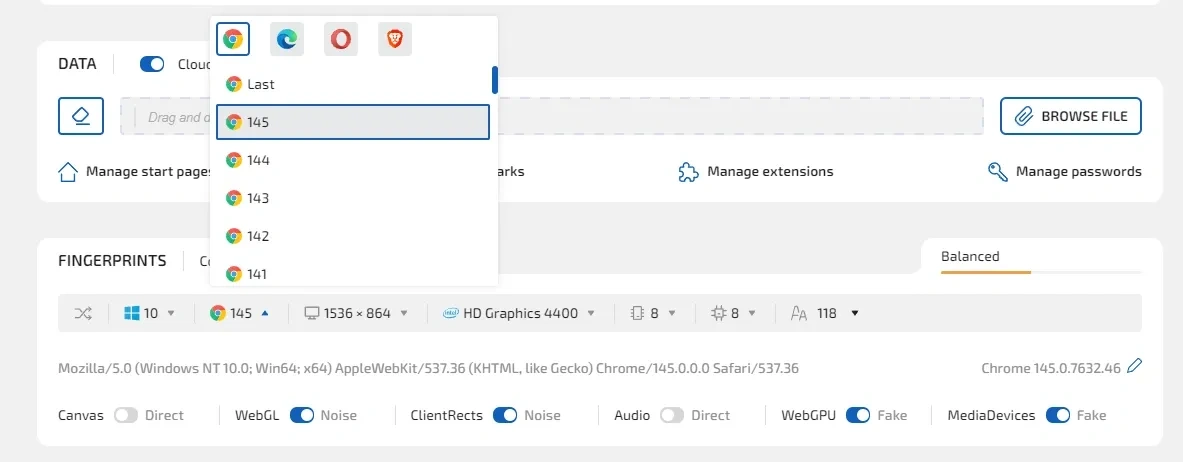
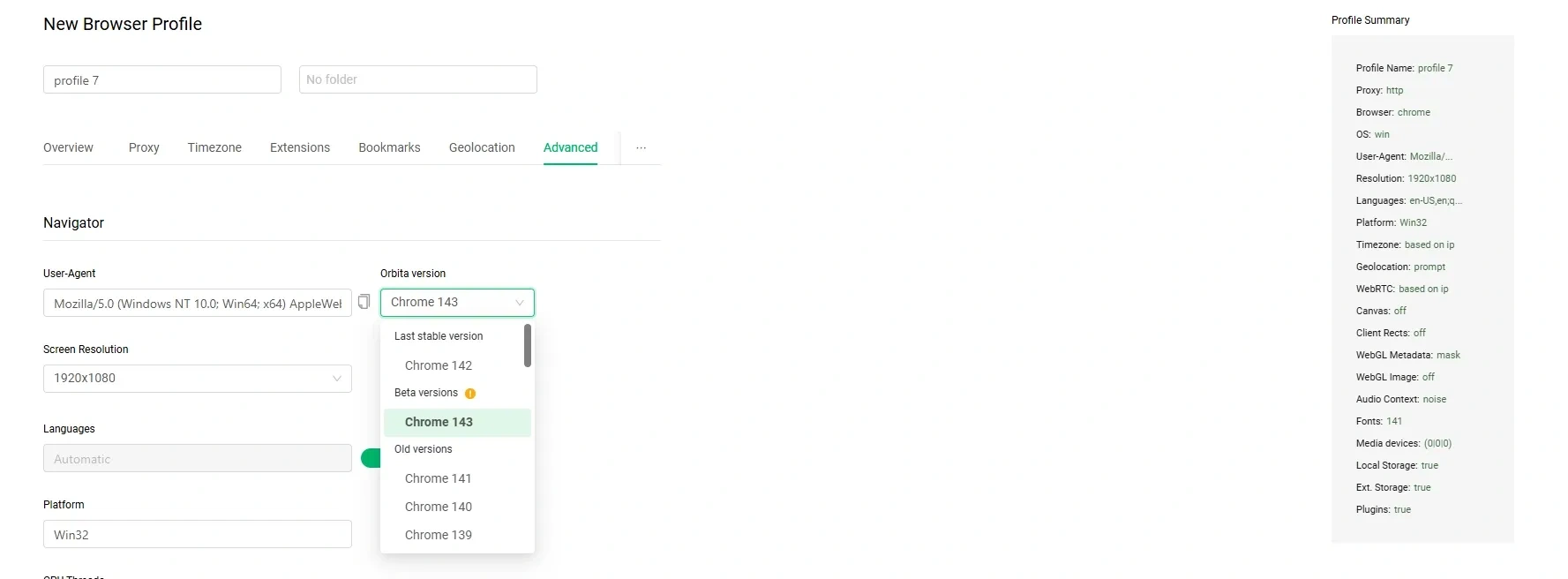
It is also worth noting the work on the quality of spoofing — check out the article dedicated to working with core subversions, or with the mechanism for tracking masking — x-browser, x-client-data subheaders. In both cases, at the time of implementing this functionality in Linken Sphere, Gologin showed one of the most lagging results. And even after more than half a year, Gologin retains the logic of working with subversions — it generates a fingerprint based on the latest one available in the browser.
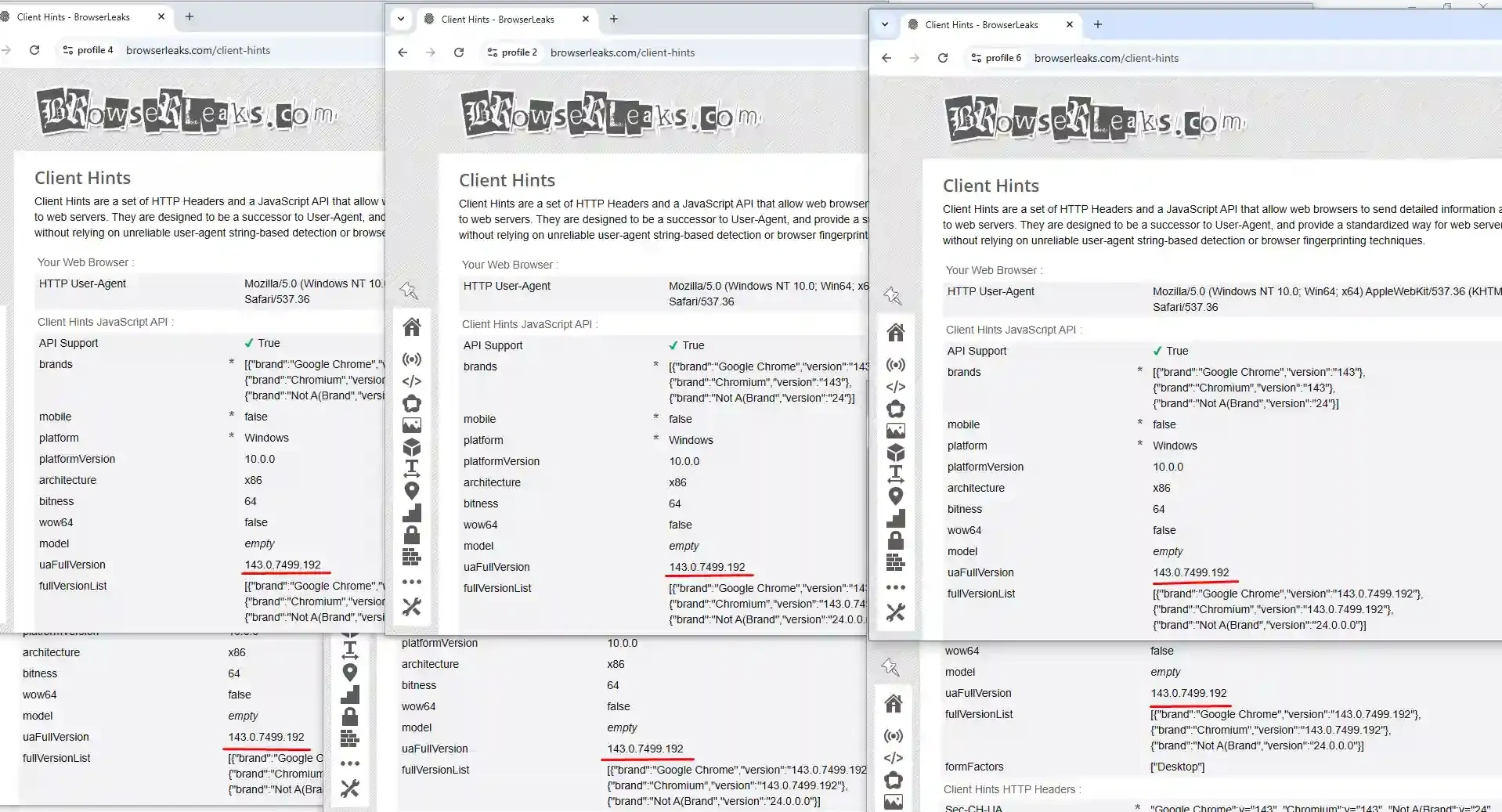
As for the X-browser and X-Client-data family of subheaders, it took the service 4 months to implement them and partially solve the problem.
It is worth noting that Gologin by default applies noise to the Audio fingerprint, which is an erroneous decision: this fingerprint is identical within the operating system, so when applying it, you do not "blend in" with real users, but rather stand out. When working with anti-bot systems that have a wide dataset, the chance of detecting fingerprint spoofing will significantly increase. The browser allows you to disable noise application, but with basic settings, it applies it to all profiles.
But the main problem is not in a specific feature, but in the fact that Gologin does not prioritize customer data security and the quality of work on fingerprints. The antidetect consistently releases updates to the functionality and usability of the service, but practically does not participate in the "technological race", depriving clients of configuration flexibility and the ability for browser profiles to match a real Chrome profile. Given the trend in the development of identification mechanisms, sooner or later this will significantly complicate work with services, which will affect the browser's clients and their money — in the form of account bans and the loss of valuable content in browser profiles.
We are not claiming that with such an approach to browser development it will face problems and mass bans tomorrow, but in the foreseeable future, the security of profiles may be under threat. The product does not set a goal to be one of the leaders in spoofing technologies, which significantly reduces its competitiveness in tasks that require the profile to match the session of a real device.
Key differences in browser interface and usability
The most difficult parameter to compare is design and user interface. Users may simply like diametrically opposed solutions: someone loves an interface rich in details and bright colors, while someone else prefers minimalism — there is no right or wrong. You need to get used to any new interface to give it a balanced assessment.
The Gologin interface is quite minimalistic and made in light colors. The desktop has basic information about profiles, but with the ability to add additional columns. There is an option to add folders.
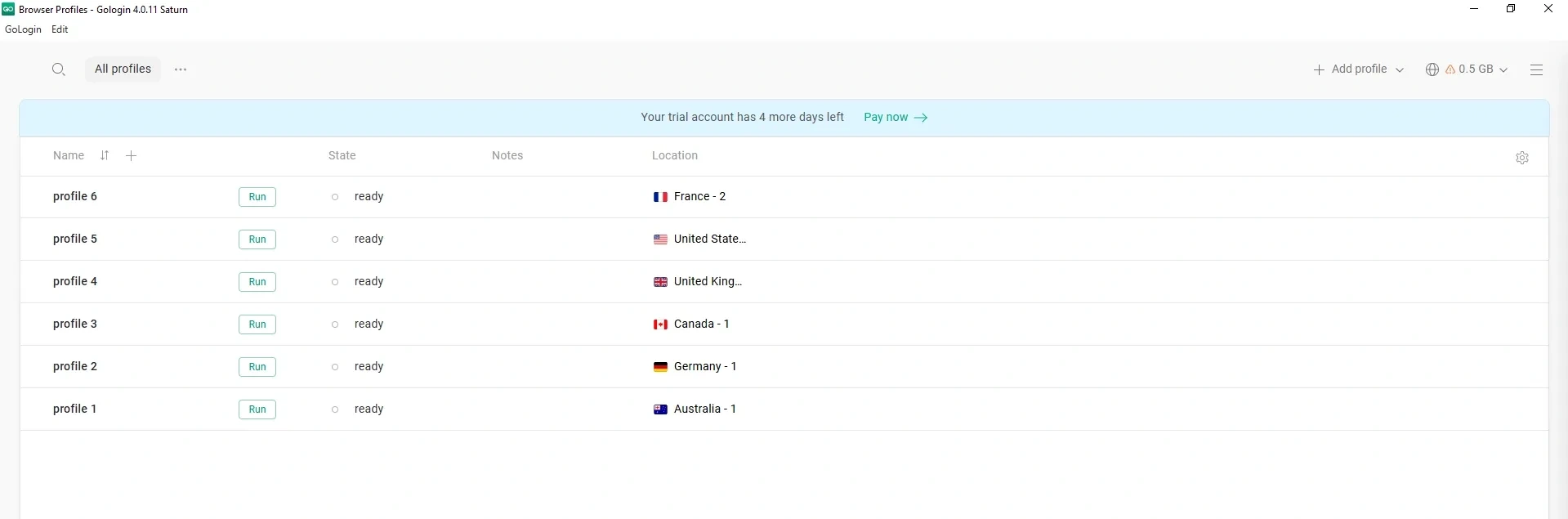
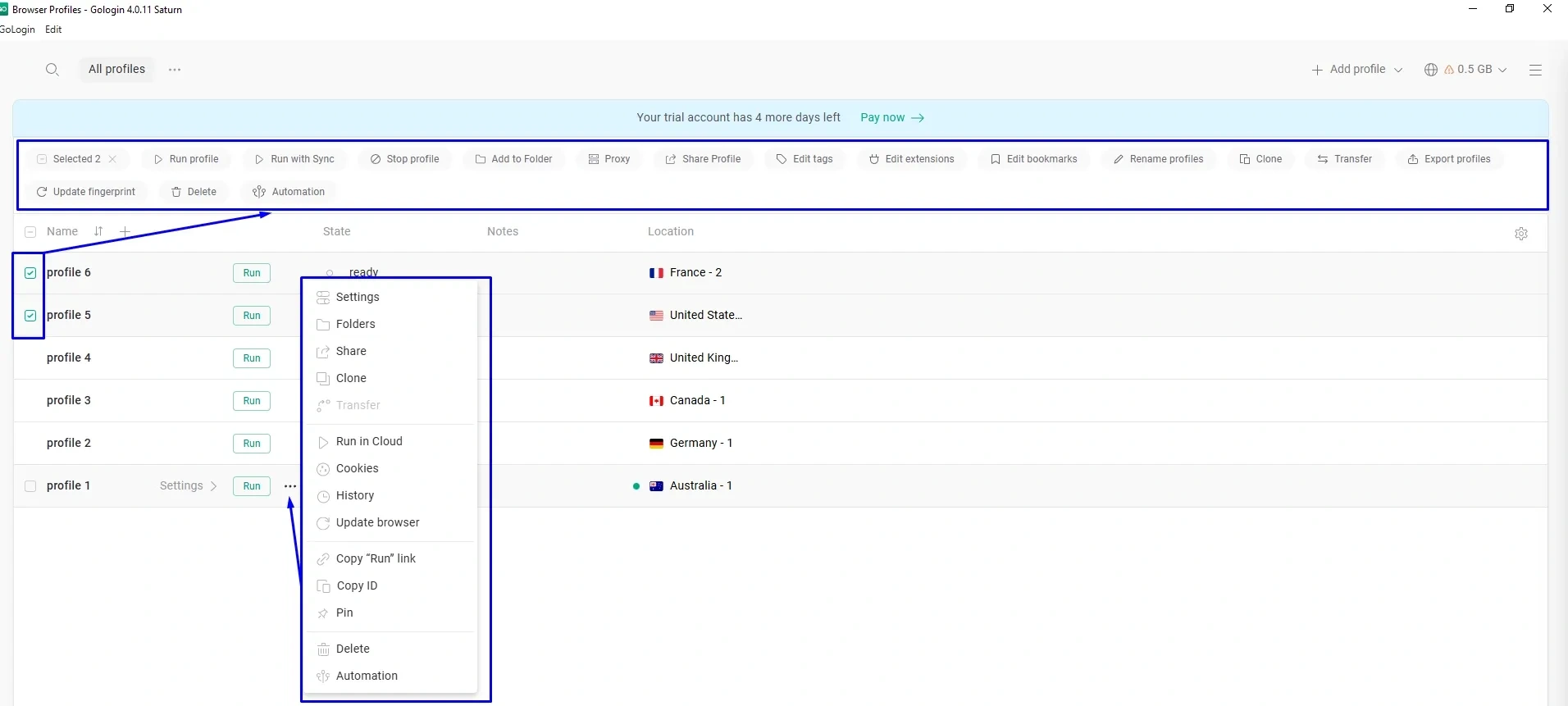
When selecting profiles, there is functionality for mass actions, as well as the ability to modify each profile. The proxy manager is located in the side menu; there is no way to go to it in one click.
In turn, Linken Sphere offers variability in the program's interface design: in the settings, you can choose one of 16 themes and the accent color of the interface elements. The main working area is tightly composed and has enough "air" — the interface does not look overloaded, all necessary control elements are one click away.
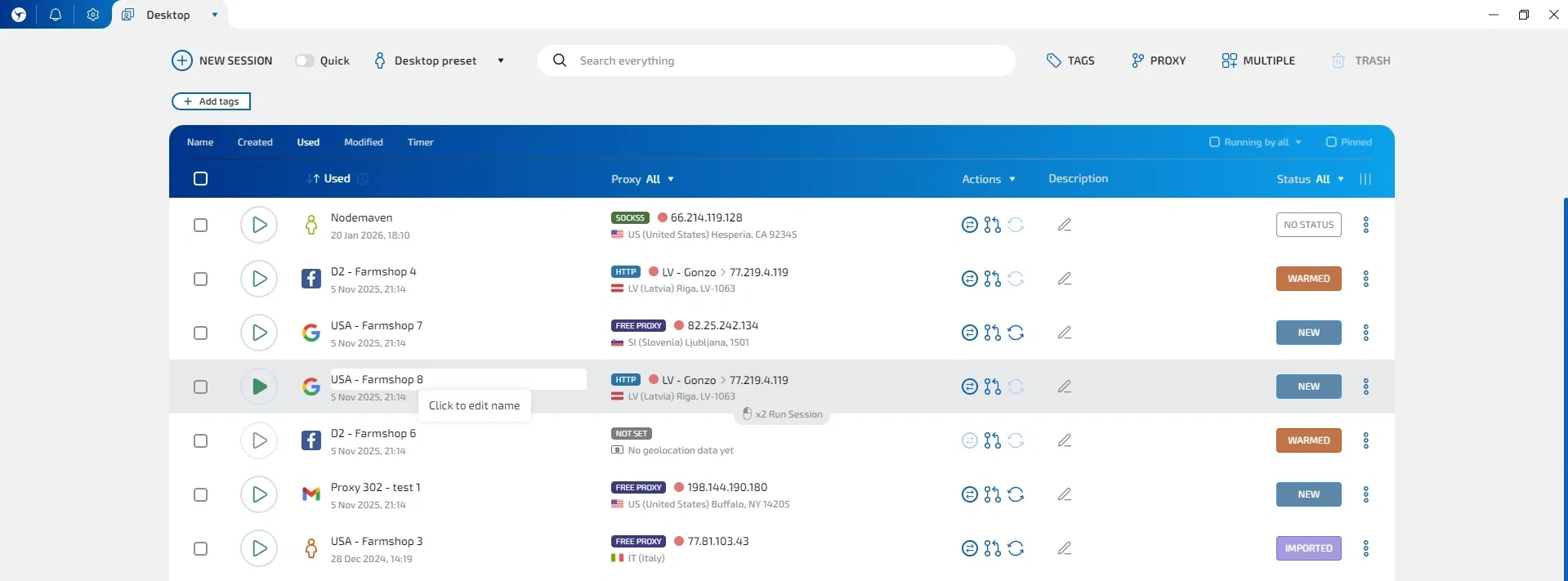
If necessary, you can also add or remove the selected column and customize the workspace for your tasks.
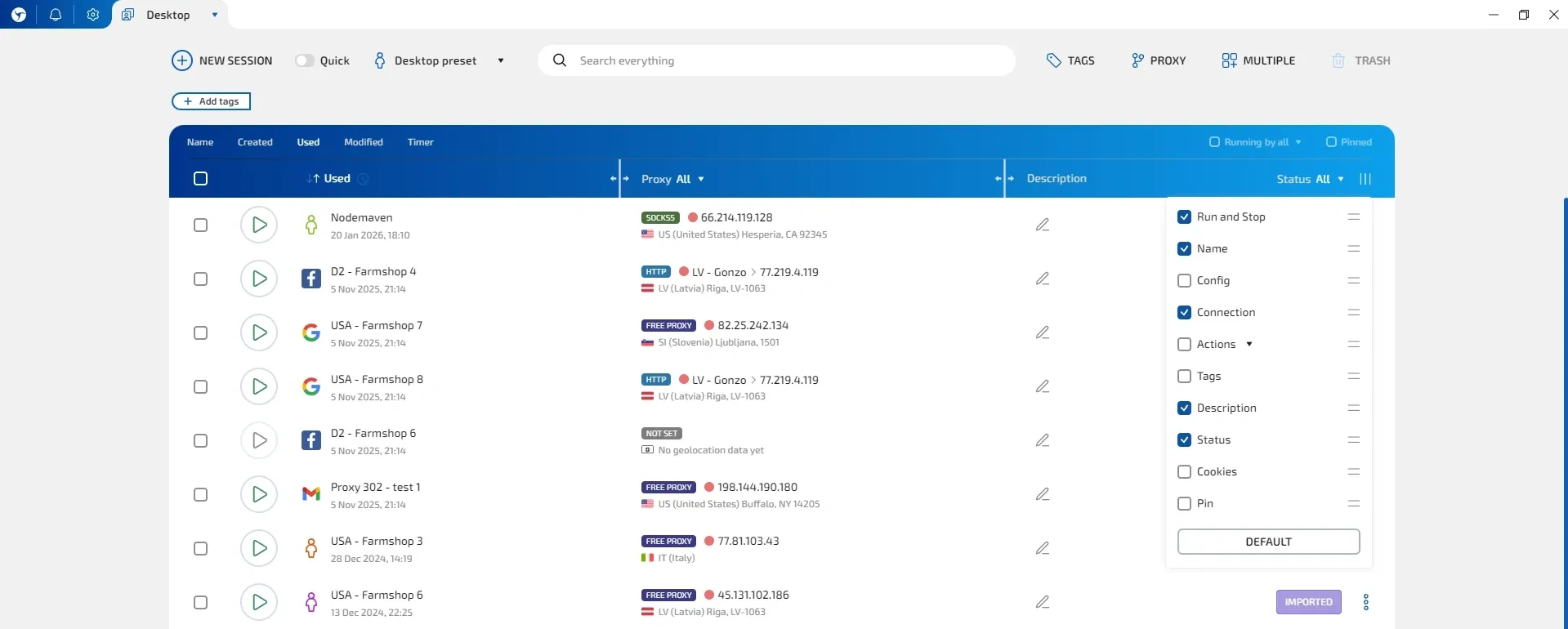
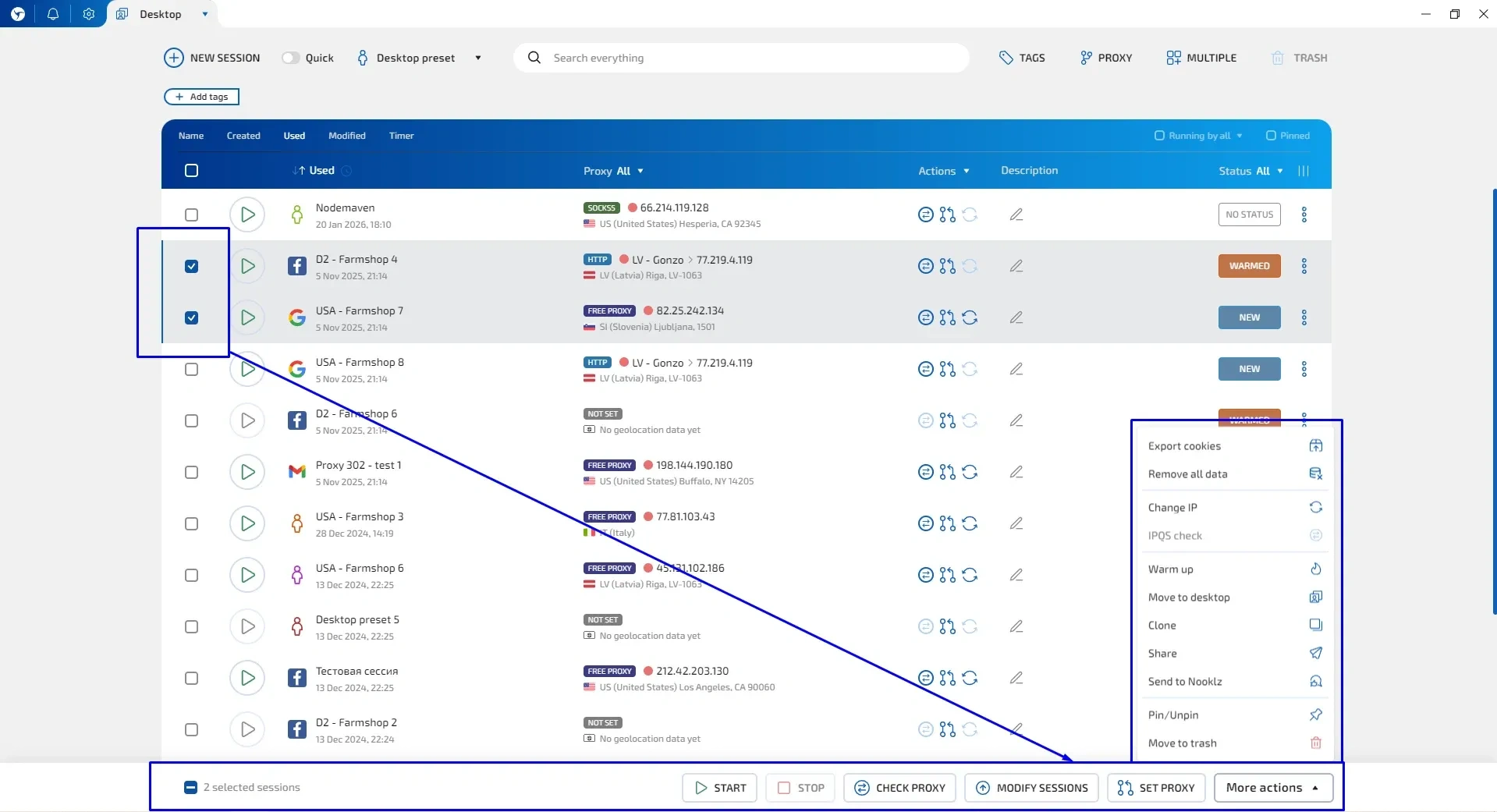
Mass actions on profiles and individual editing of each are available.
A key difference of Linken Sphere, which makes the browser more attractive to beginners, is the presence of tooltips when hovering over each interface element. The browser itself makes interacting with it easier without auxiliary guides, but solely due to the high-quality implementation of UI/UX. This is especially noticeable when creating a new profile/session.
With standard profile creation in Gologin, each category of settings is placed on a separate tab — this creates the need for additional clicks.
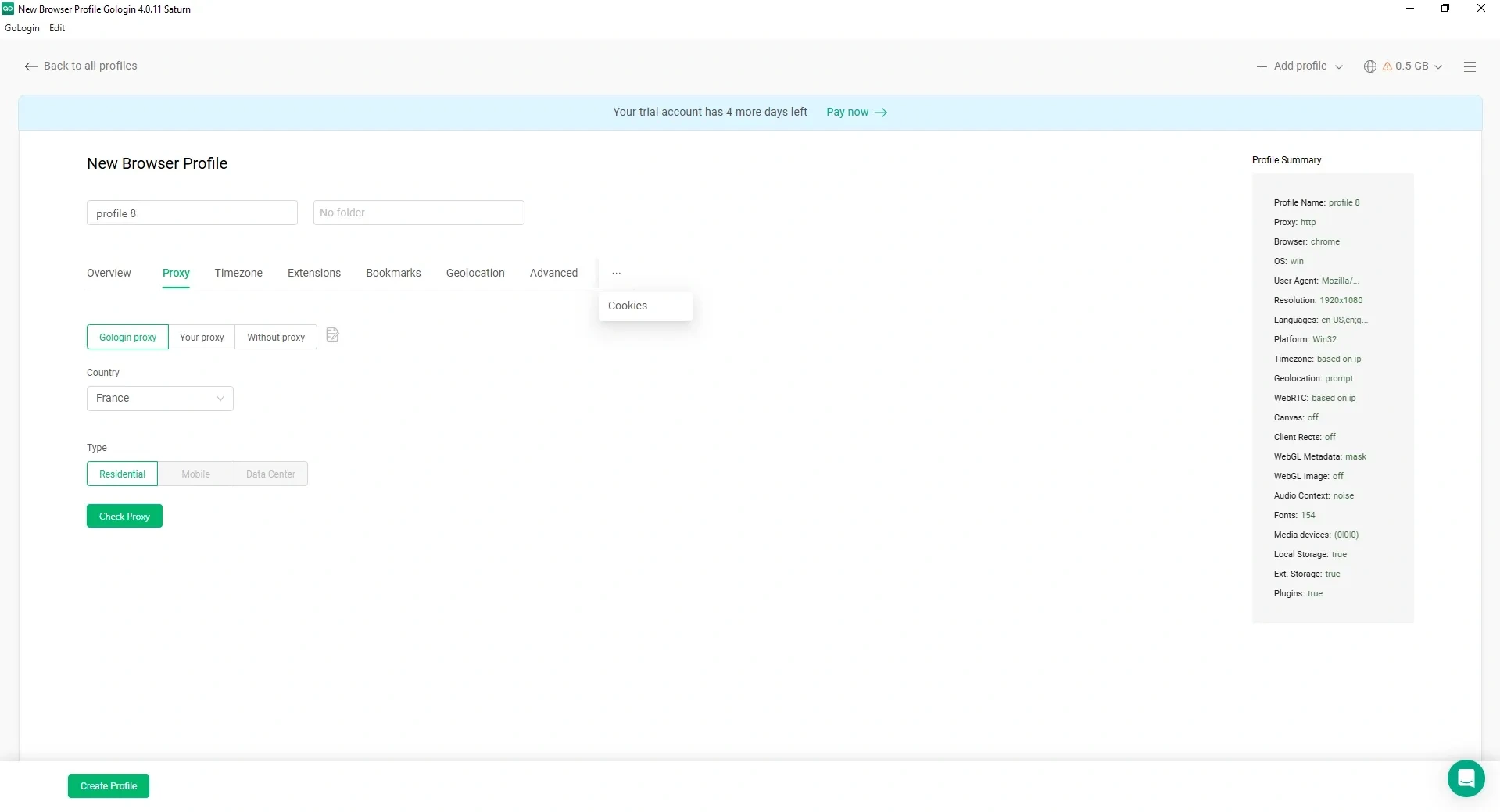
In Linken Sphere, almost all necessary profile settings fit on one screen: name and description, proxy, data import, fingerprint and browser profile settings.
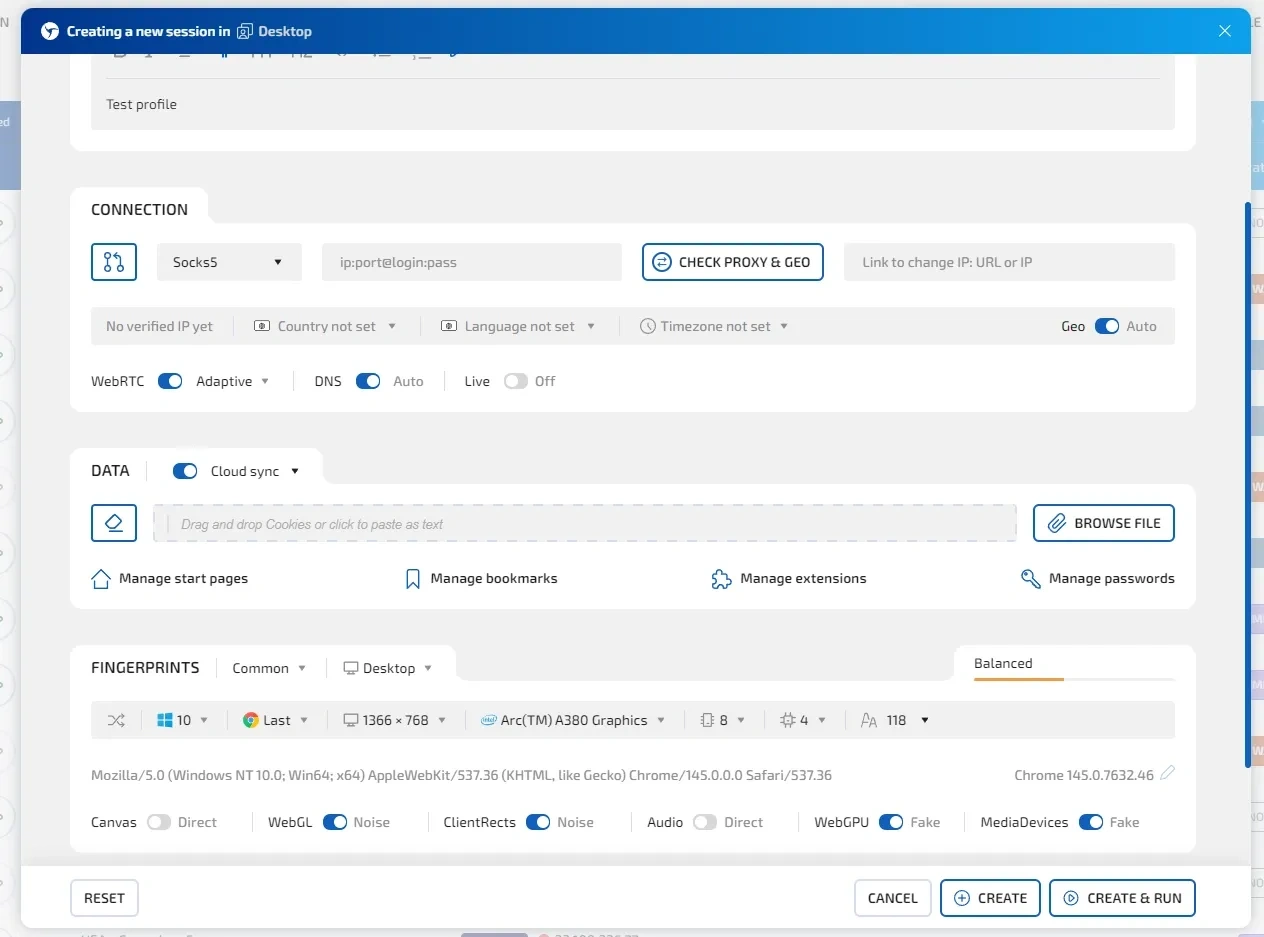
For those who do not like to overcomplicate things, there is the Hybrid 2.0 mode, which generates an optimal fingerprint based on your device's parameters, as well as a ready-made pool of configurations.
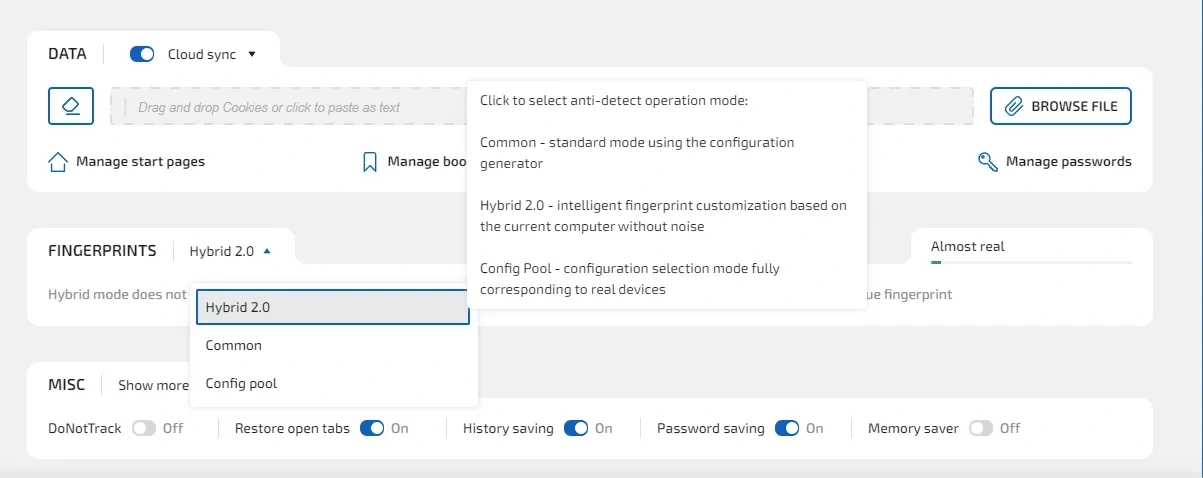
As we said earlier, design is a matter of taste, but Linken Sphere offers options to choose from, and also has a more tactile interface — you don't necessarily have to look for a button for an action, almost any working area of the profile is clickable and allows you to make settings by clicking.
Working with the proxy manager and the cost of purchasing traffic
Linken Sphere and Gologin work with all popular types of proxy connections — http, socks5, ssh, and tor. The proxy manager allows you to add proxies both individually and in bulk by importing a list of data. Next to the connection, the use of this proxy in the profile is displayed.
A key difference is Linken Sphere's support for native work with proxies using the QUIC+UDP protocol. Sphere is the first browser on the market to implement UDP support.
It is also worth noting that Linken Sphere has its own proprietary ad-blocking development at the core level — Adscrusher, which allows you to save up to 30% of your proxy traffic by hiding ads safely and without breaking the page structure.
In addition to working with proxies from external services, the browsers offer the ability to purchase traffic within the products. Both services feature high-quality proxies with the option to choose almost any GEO. Proxies are sold in packages — a fixed volume of traffic for a set cost. But if we compare prices, the difference is significant: when buying a small volume, calculated per 1 GB, the cost in Gologin will be $6/GB, and in Linken Sphere — $3/GB. The cost of the maximum package in Gologin is $450 for 100 GB — calculated at $4.5 per 1 GB, in Linken Sphere it is $250 for 160 GB — calculated per 1 GB, the price will be $1.6.
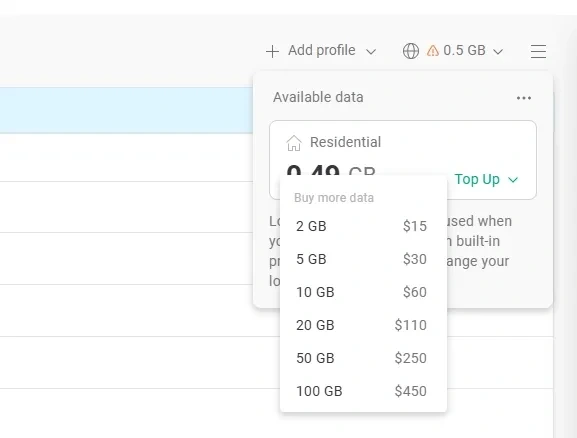
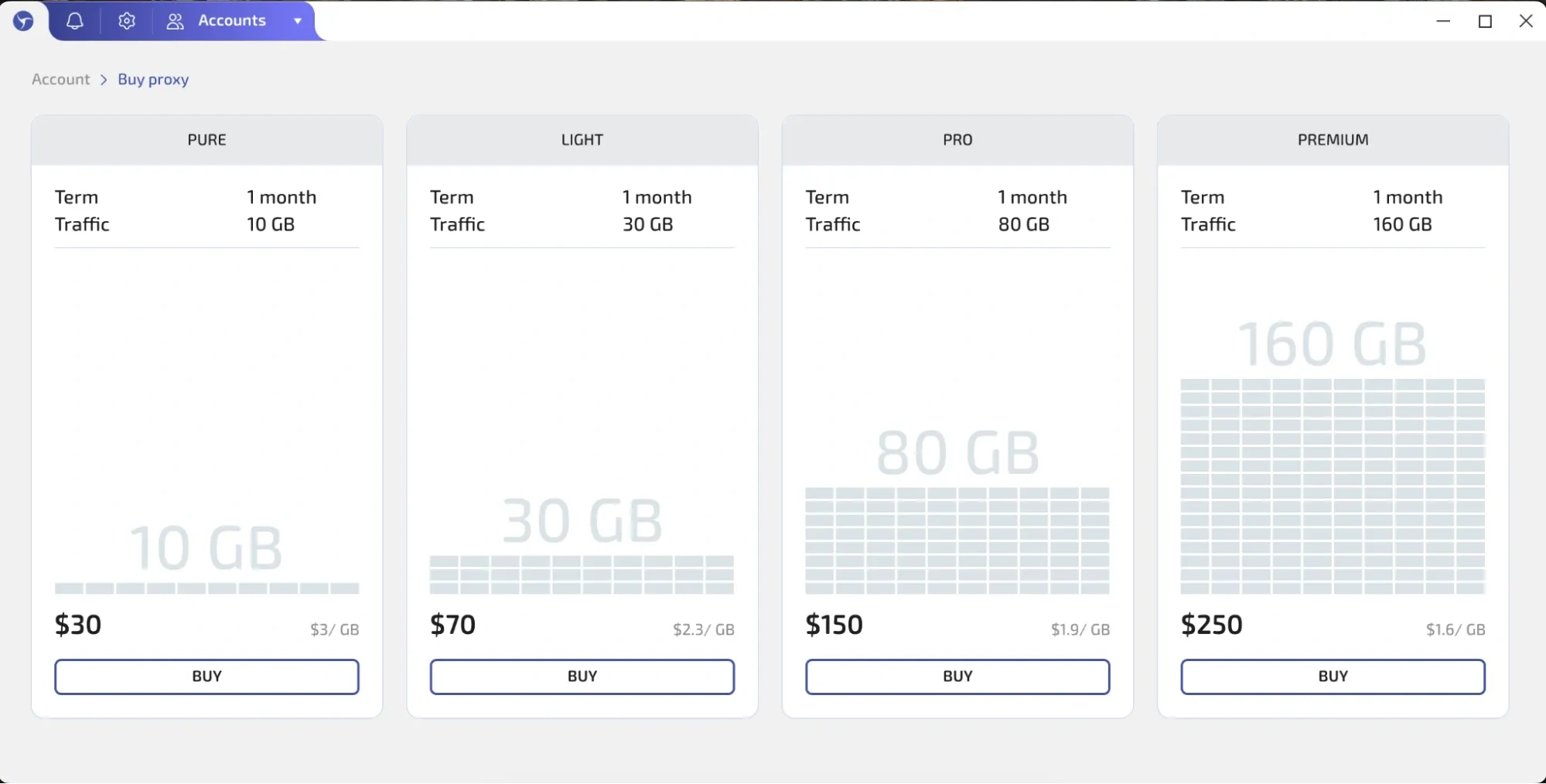
It turns out that the cost of proxies in Linken Sphere is 2-3 times lower, depending on the traffic volume. You always need to test specific proxies for specific tasks, but for most tasks, buying proxies in Sphere is significantly more profitable.
How much do Linken Sphere and Gologin cost: price comparison
The tariff grids of the browsers differ, so for accuracy, we will compare the tariffs that are as close as possible in terms of the number of profiles, and also take into account the addition of extra users where necessary.
It is worth starting with trial tariffs. Linken Sphere has a free tariff for 5 profiles with no time limits, while in Gologin the trial provides 7 days of browser operation with practically no limits on the number of profiles. Simply put, Linken Sphere gives you the opportunity to solve simple tasks for free, and Gologin — to quickly take a test drive and make a purchasing decision.
The initial tariff in Linken Sphere costs $30 and includes 30 sessions. Gologin has a choice of a subscription for 10 profiles for $10 and for 50 profiles for $50. When calculated per 1 profile, both browsers offer identical conditions — $1 per 1 profile.
The basic Light tariff in Linken Sphere includes 150 sessions (profiles) and costs $90 — calculated per 1 profile, the cost will be $0.6. In Gologin, the closest tariff in terms of content is the extended Professional for 100 profiles for $79. At the same time, the cost of 1 profile in Gologin comes out to $0.79.
The next tariff range of the browsers can be directly compared without recalculation — both products offer access to 500 profiles in their subscription. In Linken Sphere, this is the Pro tariff, which costs $160/month, and in Gologin, it is the Business tariff costing $179/month. At the same time, in Linken Sphere you get team access for up to 10 members, while in Gologin such an option is not provided. The price of the browser for 500 profiles with a subscription extension to 10 team members in Gologin will already be $269/month, which is 60% more expensive.
And the last level — advanced users who need 1000 or more profiles. The Premium level in Linken Sphere and Enterprise in Gologin. A subscription in both browsers will cost $300/month, but in Linken Sphere at this level there are no limits on the number of team members, while Gologin offers only 1 additional user, and each subsequent one will cost $10/month. If you add at least 10 people, the cost increases by $100. And if a team shares 1000 profiles among 20 people — by $200.
Both services offer discounts when purchasing for a year, not counting promotional seasonal offers.
Which antidetect browser to choose: Linken Sphere or Gologin?
A reliable antidetect browser is the foundation of the infrastructure when working with tasks related to multi-accounting. The quality of fingerprint spoofing plays a key role and ensures the stable operation of processes. Design, additional functionality, marketing — these are details that make the work more pleasant, but do not solve the task itself.
If we evaluate the technical side of antidetect browsers, Gologin is significantly inferior to Linken Sphere in the speed of core updates, as well as the quality of fingerprint spoofing implementation — they are introduced with a significant delay, which in certain cases can lead to bans and data loss. At the moment, simple tasks like multi-accounting in social networks with an uncomplicated anti-bot system do not cause problems for Gologin, but the trend towards introducing new identification mechanisms requires constant improvement of browser technologies. In turn, Linken Sphere is one of the leaders in implementing technological solutions on the market and a benchmark for competitors.
From the point of view of functionality, both browsers offer identical basic capabilities that are the market standard — fast profile creation, teamwork, sending profiles to other accounts, proxy checking, and much more... The difference is noticeable in the implementation and additional tools: Gologin focuses on cloud access to profiles from the web version and Android, while Linken Sphere focuses on optimizing profile work with traffic: native proxy work with UDP support, the ability to hide ads at the browser core level without additional extensions, and saving traffic consumption.
The pricing policy of both tools is similar; the initial tariffs, calculated per profile, have the same cost. Basic level tariffs and higher are more profitable in Linken Sphere due to additional team members, for whom you will have to pay extra in Gologin.
If you are considering buying proxies directly in the browser, traffic in Gologin will cost 2-3 times more depending on the quantity. Of course, the quality of proxies depends on many parameters, but "on paper" for most tasks, the solution from Linken Sphere is significantly more profitable.
For beginners, the Sphere interface looks friendlier, plus the product offers users a perpetual trial of up to 5 profiles, while Gologin only gives a 7-day version for familiarization.
If an antidetect browser is a necessary working tool for you, from which you need high-quality fingerprint spoofing, flexible functionality, and fast adaptation to new anti-bot system requirements, then Linken Sphere will be the best solution.
Gologin is currently a sufficient product for solving most tasks, but from the point of view of technical execution, it is significantly inferior. The service has its own features and interesting solutions.
We recommend testing both browsers yourself and drawing your own conclusion.