How to Create AI Model Videos for Free
According to forecasts, the AI video market is already measured in hundreds of millions of dollars and will increase manifold: experts expect its volume to reach $3.4 billion by 2033. Along with this, interest in AI models — virtual characters used to create content and advertising — is also growing.
Technologies have advanced so much that it is becoming increasingly difficult to distinguish digital characters from real people. AI models gather millions of followers on Instagram, host streams, and can bring good profit on platforms like Fansly and other subscription services.
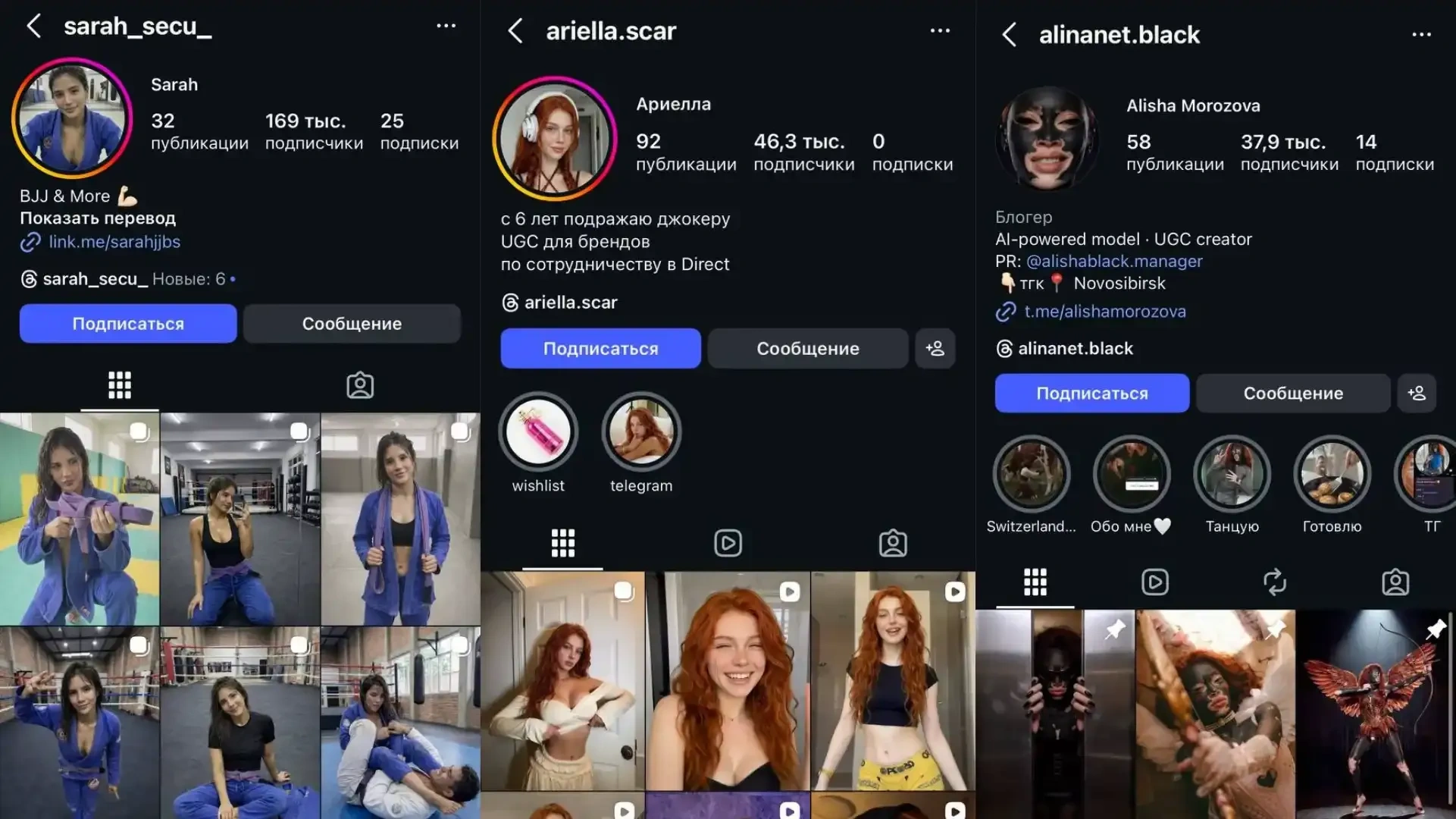
In this article, we will break down what tools you will need and how to practically assemble and monetize your AI project.
What tools will be needed
Creating an AI model for video is a sequential process that includes several stages:
- Generating a unique character image
- Preparing photo content
- Transferring the image to video format
- Final assembly of the video in an editor
Next, we will tell you what tools can be used at each of the stages.
Generating a unique character image
Creating an AI model begins with working out the image. It is important to form a recognizable and cohesive character. You need to determine the age, appearance type, style, personality, niche, content format, and audience.
ChatGPT
ChatGPT is an artificial intelligence chatbot developed by OpenAI. It works in a browser and allows you to generate text and images upon user request.
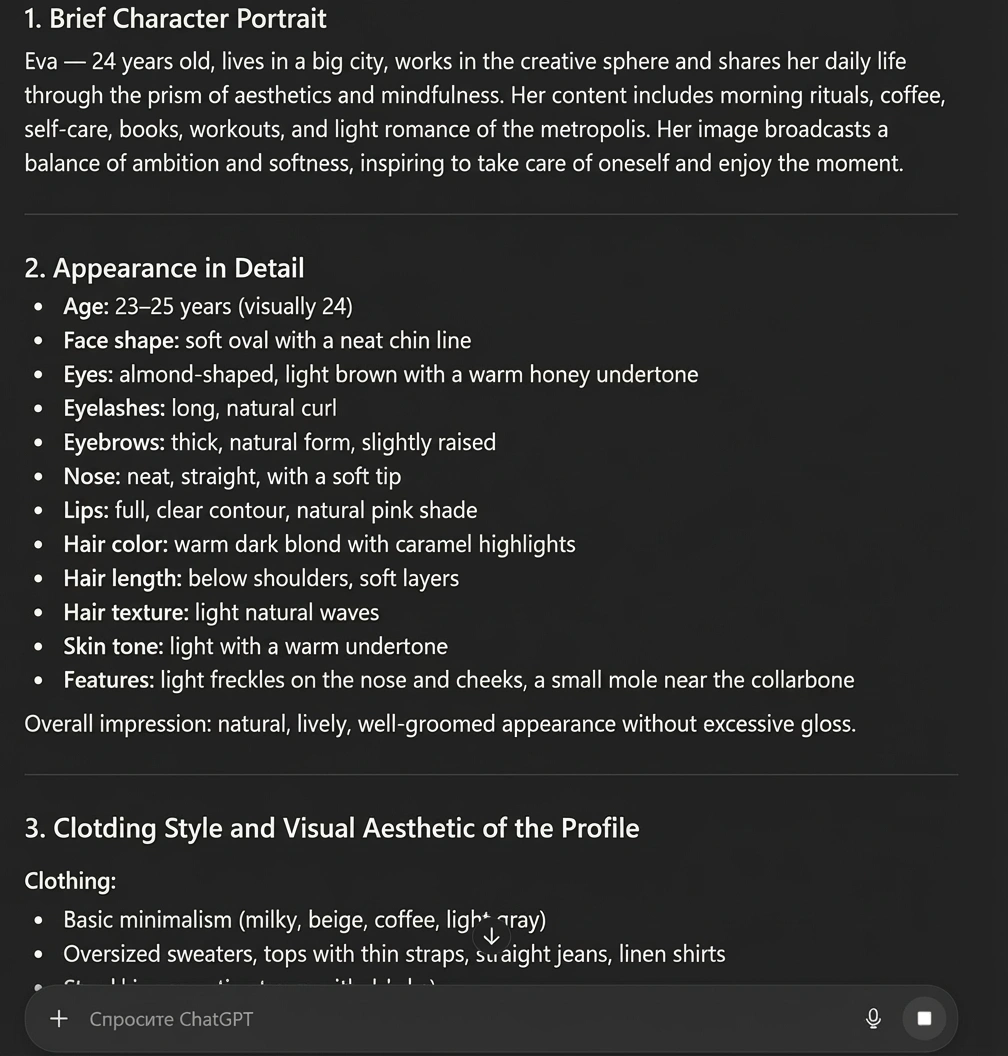
In the context of creating an AI model, it is used to develop the character concept and generate a unique face based on a detailed description.
Capabilities:
- Forming a detailed character profile (age, appearance, style, archetype)
- Generating a photorealistic portrait based on a text description
- Adjusting individual features through clarifying requests
- Preparing scripts and descriptions for future content
The main difficulty is getting a truly unique and commercially promising image instead of a template AI girl. To do this, you need to set the parameters in detail and understand what niche the character is being created for.
In the free version of ChatGPT — 10 messages every 5 hours and 3 image generations per day.
Grok
Grok is an AI assistant developed by xAI (Elon Musk's project). It is integrated into the X (Twitter) platform and is also available via a web interface. Grok works as a text AI chat and supports image generation through the Imagine mode.
In the context of creating an AI model, it can be used to develop the character concept and generate a photorealistic face. At the same time, ChatGPT handles concept development better.
Capabilities:
- Developing the character concept and its positioning
- Generating a detailed description of appearance
- Creating photorealistic portraits via Imagine
- Variable generation of a single image
- Preparing texts for the profile and content
Grok is not tailored for long-term work with the same character. Upon repeated generation in different angles or lighting conditions, the appearance may slightly differ — the shape of the eyes, jawline, or facial expression changes. This is not critical for one-off images, but when creating a full-fledged AI model for social networks, it may require additional fixation of the image in more specialized tools.
Text requests: free Grok users can send approximately up to 10 text requests every 2 hours. Image generation: the free version usually allows up to 3–10 requests for image generation per day (each request can yield several options).
Preparing photo content
After the character's appearance is determined, it is necessary to create full-fledged photo content. A single generated portrait is not suitable for running an account or further animation.
To prepare such content, tools are used that allow working with an already created face and generating new scenes based on it.
Nano Banana
Nano Banana is the best tool for generating and refining images based on an already created character. It is used to prepare photo content: creating different scenes, poses, and looks while preserving the model's appearance.
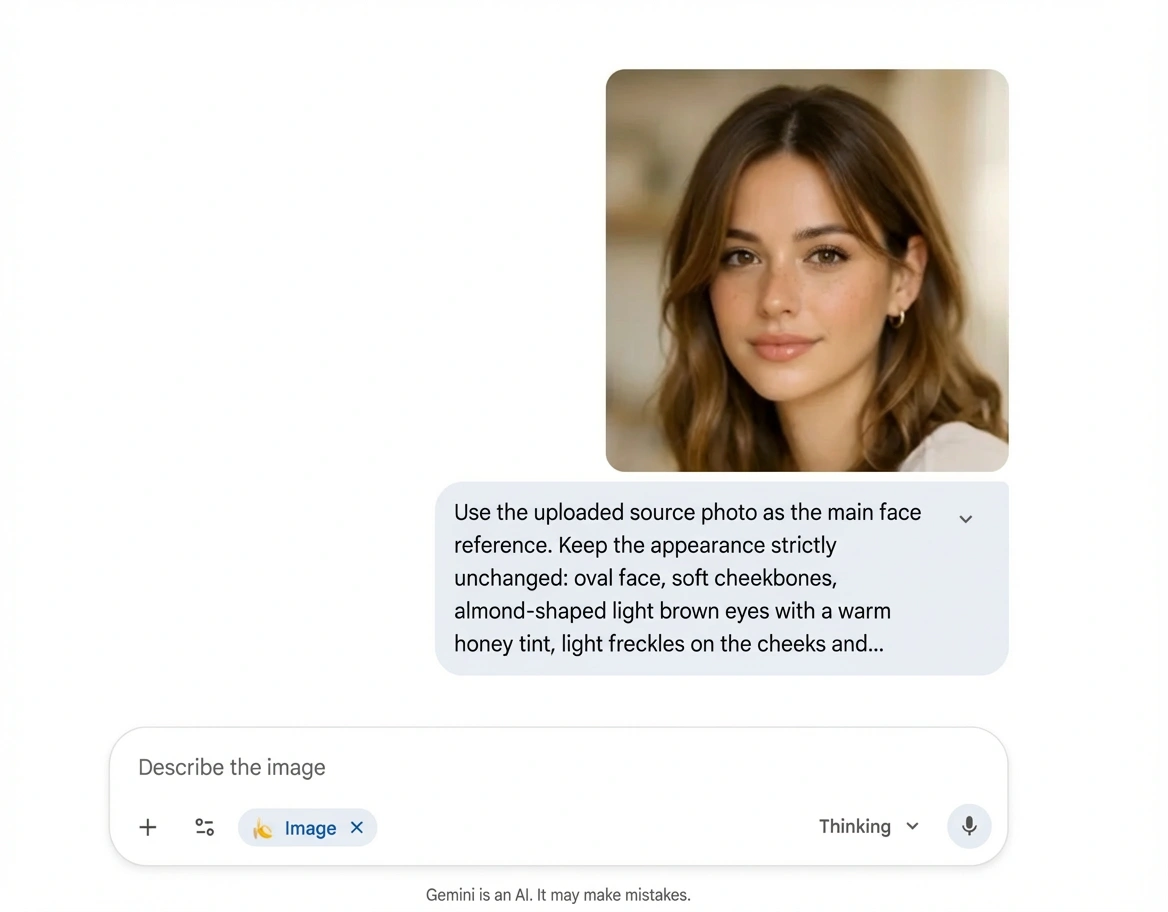
Capabilities:
- Working with an already created character image
- Generating new frames while preserving the main facial features
- Changing clothes, hairstyle, environment, lighting, and body position
- Creating a series of photos for a social media feed
- Increasing detail and correcting artifacts
- Preparing images that can be used to create videos
With a strong change in angle or pose, facial distortions are possible. Sometimes it takes several attempts to achieve a natural result. It is also important to use a high-quality source image — the final result directly depends on it.
For free in Gemini, you can generate about 2–3 images per day. After that, you need to wait for the daily limit to reset.
Also, Nano Banana can be found on third-party services and model aggregators. For example, on Arena, this neural network can be used almost infinitely. When a limit message appears, it is enough to change the IP address and account. However, in this case, a new account may be needed, and the chat itself will disappear.
Seedream
Seedream is a multimodal image generation model from ByteDance, which combines text-to-image generation and reference-based editing functions in one system.
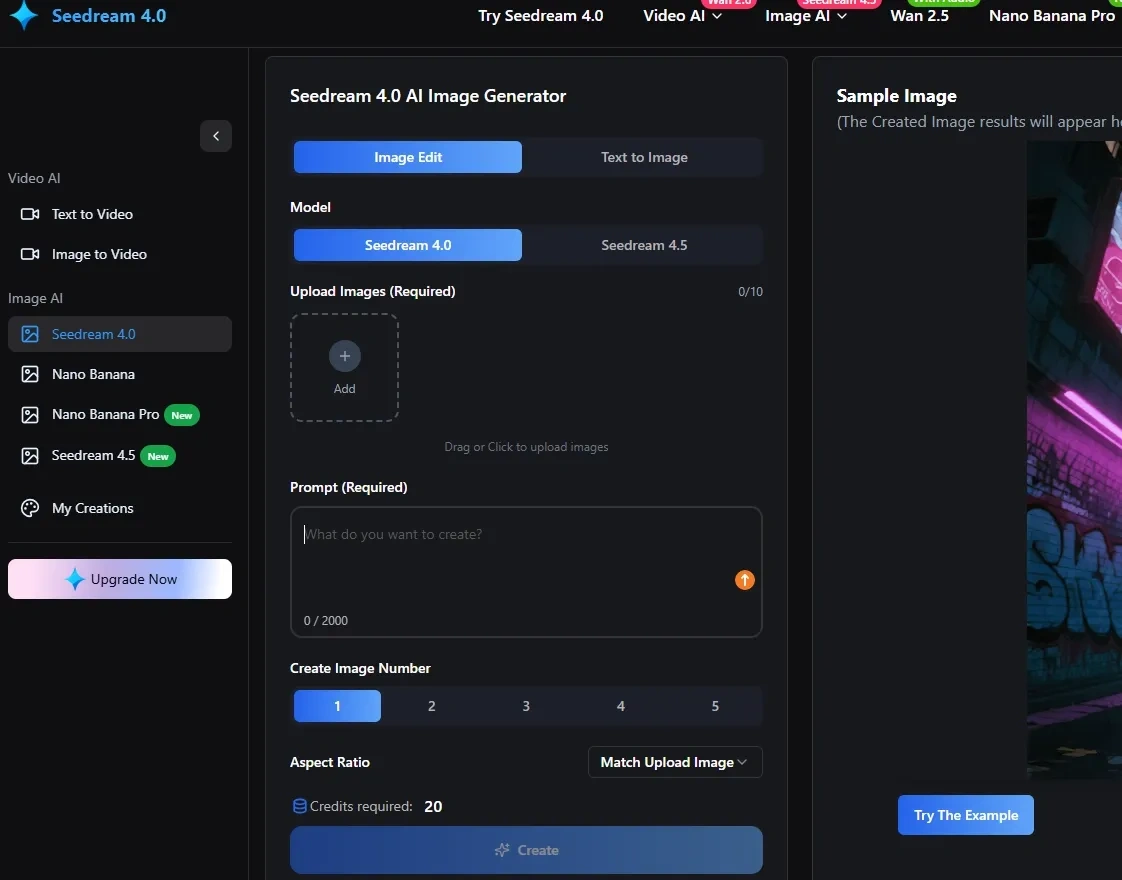
In photo content preparation tasks, Seedream is used to create series of images with the same model in different poses.
Capabilities:
- Generating images from a text description with high resolution up to 4K
- Simultaneous output of multiple images (batch generation) with a consistent character
- Editing and refining already generated pictures based on additional requests or references
- Support for multiple reference images for better visual consistency
- A wide choice of styles — from realism to artistic visuals, convenient for social networks
Seedream is very sensitive to the structure of the request: a too general description can lead to less accurate results. With a strong change in angle or pose, the face may slightly change.
Currently, the service allows generating up to 20 free images per day.
Animation or transferring the image to video format
Photo animation is an optional stage for running Instagram, YouTube Shorts, or Reels, but it significantly increases audience engagement. It is enough to publish short videos with simple but catchy movements: a slight turn of the head, blinking, a smile, a "live" camera effect with a smooth zoom or focus change.
Next, we will break down the tools that allow turning prepared photos into short videos.
Hailuo AI
Hailuo AI is a video generation model from the Chinese company MiniMax. It creates movement dynamics from static frames, adds camera effects, transitions, and simple facial animation.
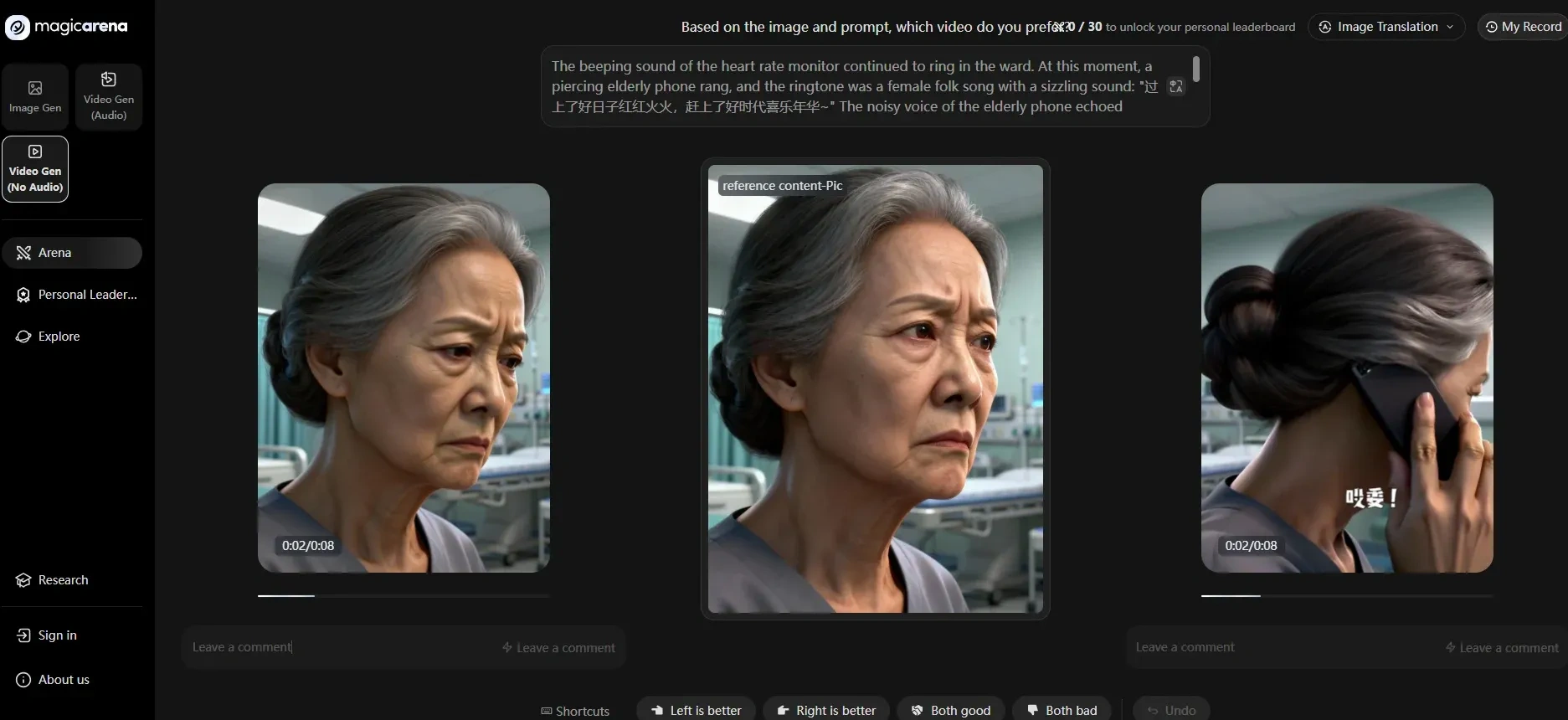
Capabilities:
- Turning static photos into short videos
- Smooth camera movement (pan/zoom), transition effects
- Generating video based on text or uploaded photos
- Creating different scenes in one video with logical transitions
- Built-in presets and visual effects to quickly get an interesting visual style
- Ability to add a voice or soundtrack to the video (within interfaces that support this)
- Formats and renders for YouTube Shorts, Instagram/Reels, and other platforms
Automatic photo animation in some cases looks a bit mechanical — movements are soft, but not always natural. If the source image is of low quality (blurry, with artifacts), the final video may look unnatural or with defects.
On the free plan, 1000 credits are accrued. Enough for 3–5 short videos in 720p.
Runway
Runway is a powerful AI tool for creating and editing video based on text and images, including generating a full-fledged video scene with transitions.
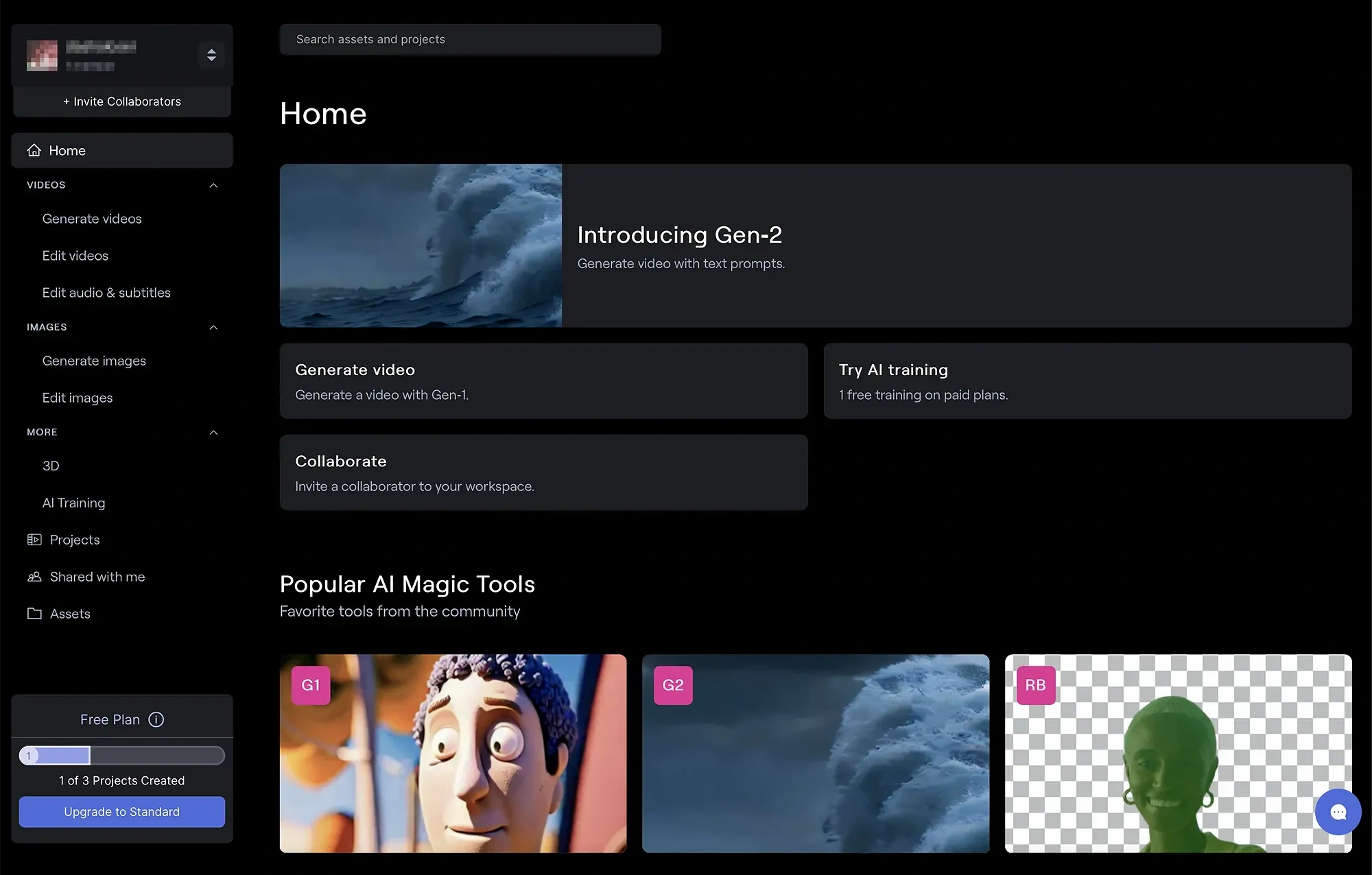
Capabilities:
- Animating static photos and generating short videos from text or image
- Built-in camera movement effects and scene stylization
- Editing videos, montage, and export for social networks
- Collaboration and storage of media assets
Runway provides powerful functionality, but gives 125 credits for free only upon registration. For example, for several short videos for social networks, a significant part of the quota may be required.
Final assembly of the video in an editor
If you generate a ready-made short video in one service right away, additional montage may not be needed.
An editor is needed in cases where it is necessary to:
- Splice several separate frames or scenes
- Add subtitles, text, or music
- Prepare different versions of the video for several formats
If the video consists of a single generated fragment without additional elements, it can be published directly without separate assembly.
Practical application
Let's break down in practice how to prepare content for launching an AI model. This will already be enough to set up accounts on social networks. Let's start with generating the image.
Step 1. Forming the character image
At this stage, it is important for us to get a clear description, which will then be used to generate the face and a series of images.
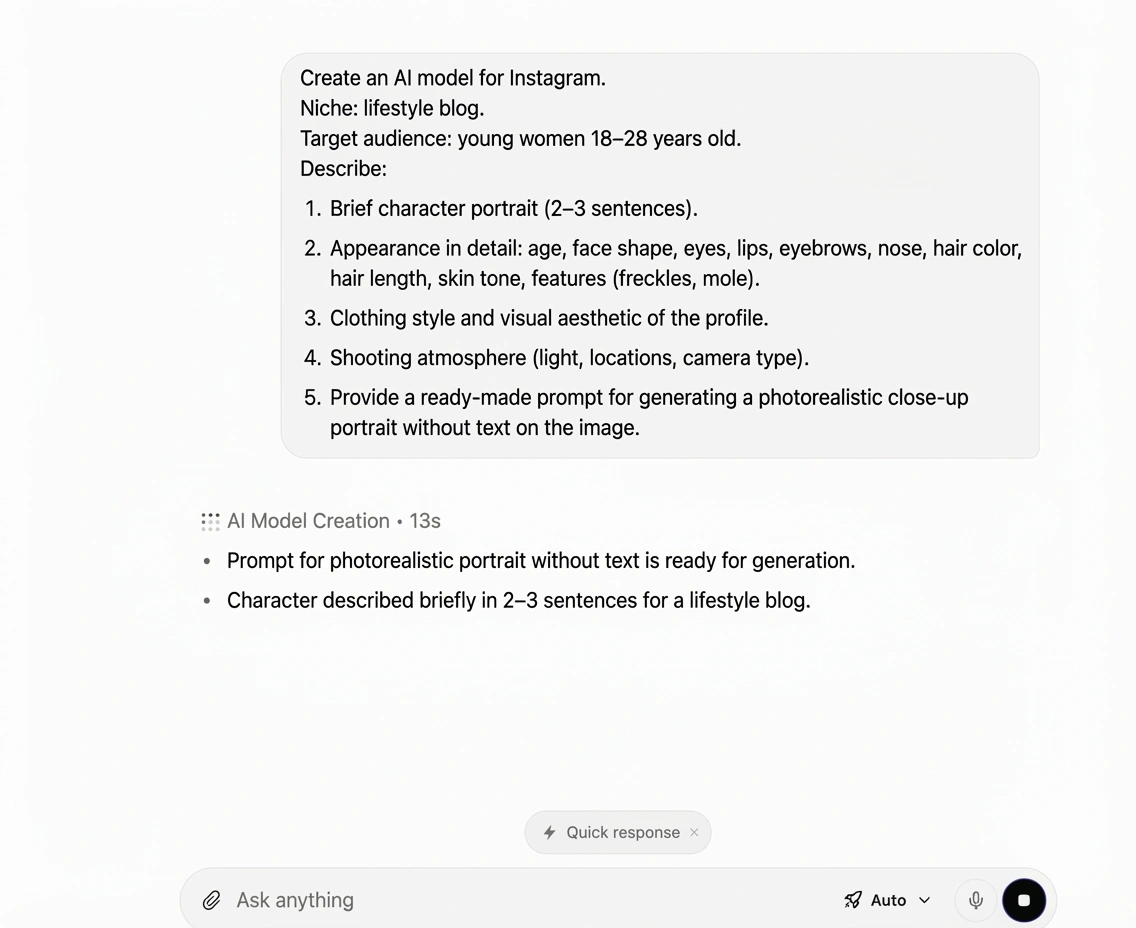
In ChatGPT, we set the character as specifically as possible.
Example request:
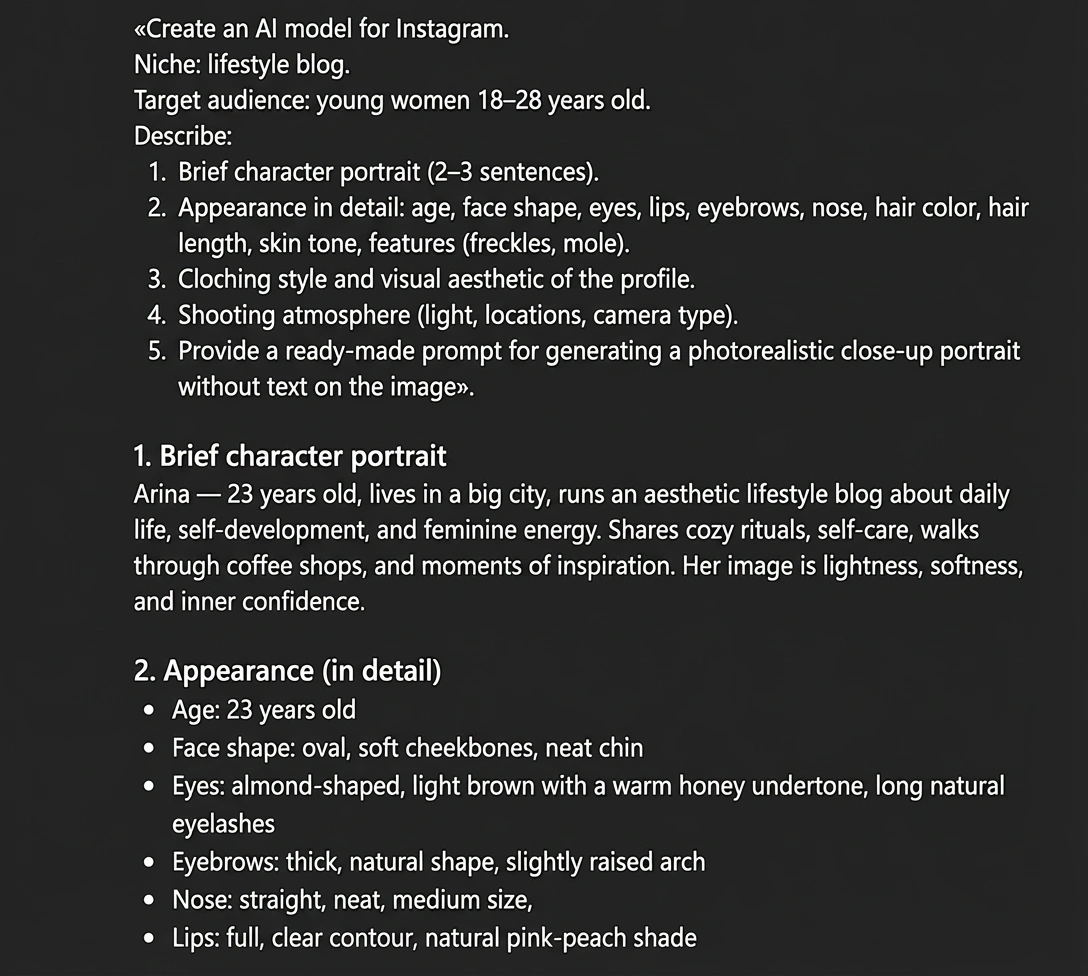
We use a ready-made prompt that ChatGPT will offer. In our case, this is the following request:
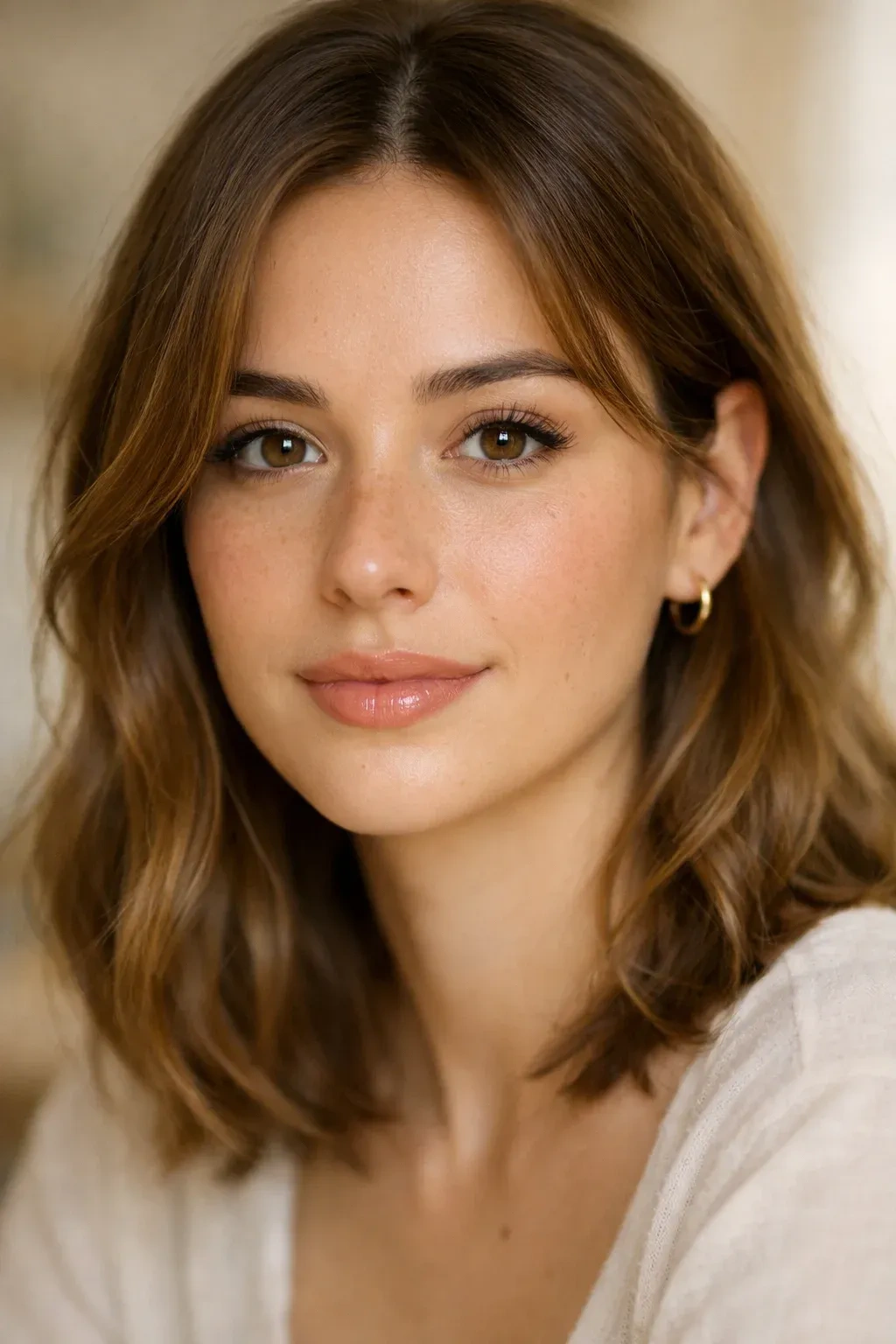
«Photorealistic close-up portrait of a 23-year-old lifestyle blogger woman, oval face, soft cheekbones, almond-shaped light brown eyes with warm honey tones, natural long eyelashes, thick natural eyebrows with a soft arch, straight delicate nose, full lips with natural peach-pink color, light warm-toned skin with subtle freckles across cheeks and nose, small beauty mark above upper lip, dark blonde hair with caramel highlights, shoulder-length soft waves, minimal clean girl makeup, glowing skin, soft natural window light, shallow depth of field, 85mm lens, creamy bokeh background, warm neutral tones, ultra-detailed skin texture, high resolution, no text, no watermark».
ChatGPT will generate a portrait of our future model. Generation result:
Step 2. Preparing photo content
Now it is important to move on to the next stage — creating a full-fledged visual set for the account.
A single generated portrait is suitable for fixing the appearance, but this is not enough for running Instagram. We need to form several different looks so that the character looks alive and multifaceted.
For example, in this article, we will generate two photos in different looks to show the very principle of working with the character and changing scenes. This is enough to demonstrate the mechanics of preparing content.
However, in a real project, such a volume will not be enough. For full-fledged account management, significantly more materials will be required: different locations, looks, angles, close-ups, and full-length shots. The more diverse the visual base, the more alive the AI model looks and the easier it is to maintain regular posting.
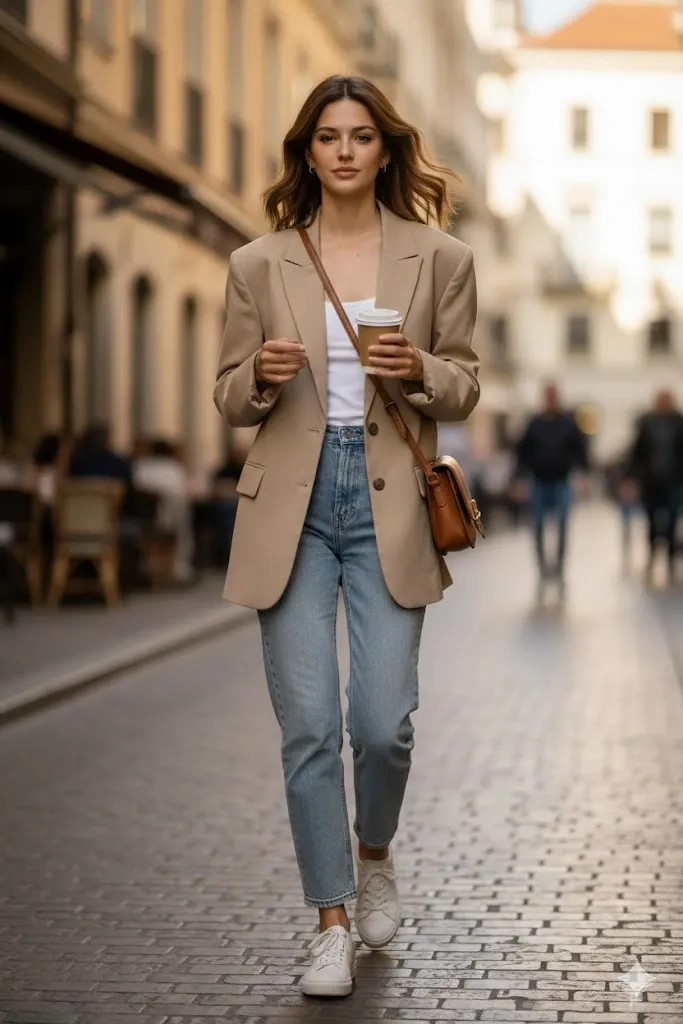
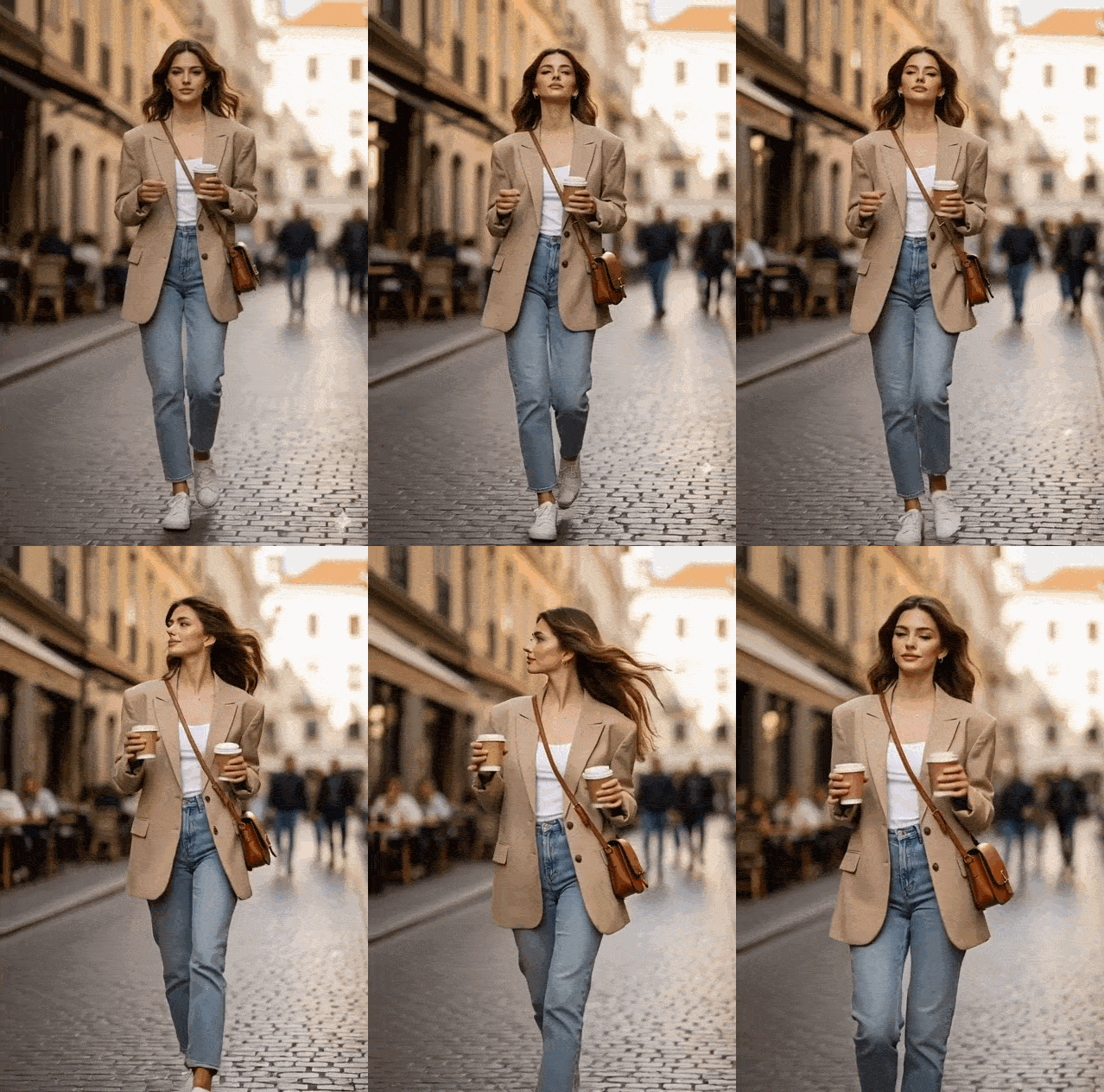
Example 1. Casual lifestyle look (city walk). The task is to preserve the model's face and appearance, but change the scene, clothes, and angle.
Our prompt:
«Use the uploaded source photo as the main face reference. Preserve the appearance strictly without changes: oval face, soft cheekbones, almond-shaped light brown eyes with a warm honey tone, light freckles on the cheeks and bridge of the nose, a small beauty mark above the upper lip, dark blonde hair with caramel highlights to the shoulders, soft waves.
Preserve the age of 23, height about 168 cm, slender natural build, realistic body proportions.
Generate a photorealistic full-length image. A girl is walking along a European city street, natural step, slight movement of hair, relaxed pose. She is wearing a beige oversized blazer, a white basic top, light straight jeans, minimalistic sneakers, a leather crossbody bag, holding a cup of coffee.
Composition: vertical format 4:5, rule of thirds, slight background blur, street with a cafe and warm daylight, 35mm lens, natural light, natural color correction, high detail of skin, fabric, and hair, no text, no watermarks».
Result:
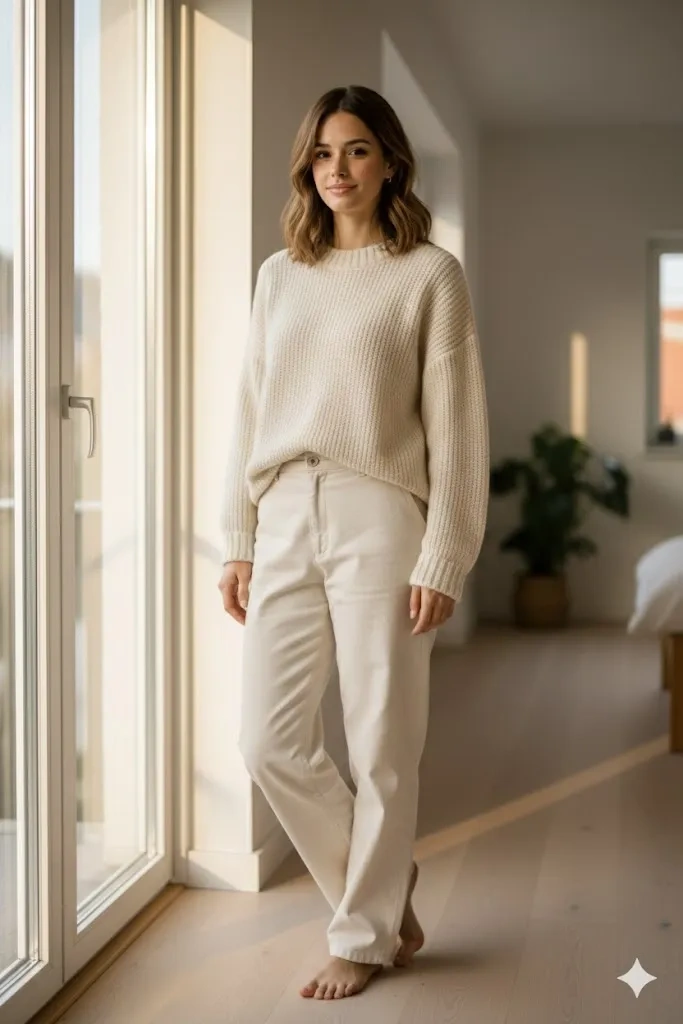
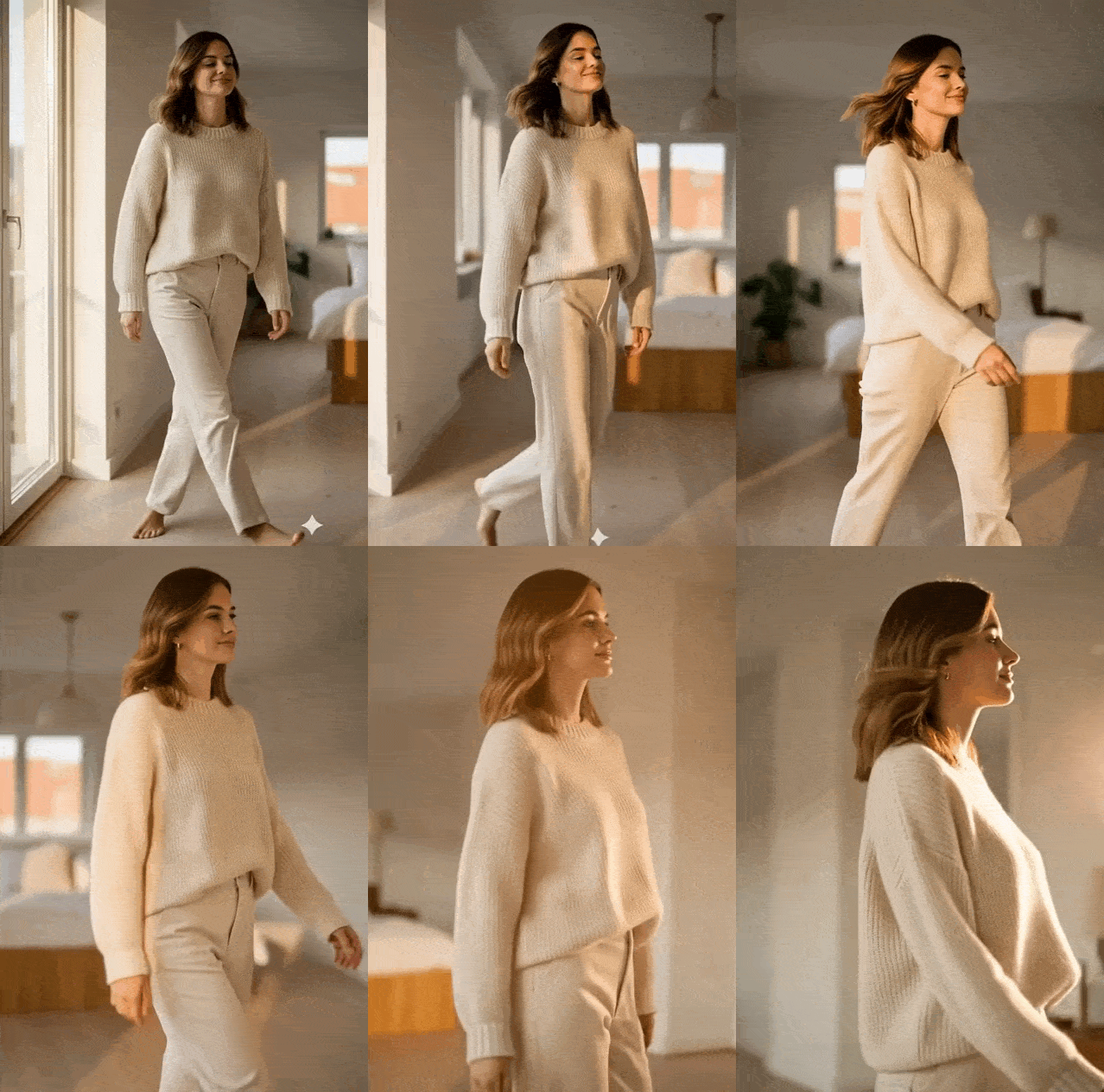
Example 2. Home look — full length.
Here, in addition to the portrait, you can add other photos that have already been generated. This way the result is more accurate. We used the following prompt:
«Use the original uploaded image as a mandatory reference. The face and features must completely match: oval face shape, soft cheekbones, almond-shaped light brown eyes, light freckles on the cheeks and bridge of the nose, a small beauty mark above the upper lip, dark blonde hair with caramel highlights to the shoulders, soft natural waves.
Age 23, height 168 cm, slender figure with natural proportions.
Generate a photorealistic full-length image in a bright interior. A girl is standing by a large window in a Scandinavian apartment, calm pose, soft smile. She is wearing a loose cream knitted sweater and light straight trousers, barefoot on a wooden floor.
Composition: vertical format 4:5, a lot of air in the frame, soft morning light from the side, 50mm lens, soft shadows, natural colors, high detail of textures, photorealism, no text, no watermarks».
Result:
Step 3. Bringing photos to life in Hailuo AI
After preparing two images, we move on to the next stage — transferring to video format.
Animation enhances engagement: even a simple head movement or a slight zoom creates the feeling of a living person.
For this, we use Hailuo AI. You can work in two ways:
- Upload a photo and apply automatic animation without a text request
- Add a prompt to more accurately control the movement and atmosphere
The main task is to achieve a realistic result without mechanical movements.
From the first photo, we got this result (for the article we converted it to gif, in video format everything will look much better and smoother):
Result of the second photo:
Is a video editor needed at this stage
As we noted earlier, a video editor is not always required. Even based on static photos, you can already launch a full-fledged account on social networks on behalf of an AI model.
If you have a high-quality series of images in different looks, this is enough for:
- Profile setup
- Publishing carousels
- Creating stories
- Testing hypotheses on content and engagement
Animation enhances the presence effect, but it is not a prerequisite for starting.
It is important to remember: the account should be run as a real girl would run it.
This means:
- Natural captions for photos
- Personal thoughts, observations, micro-stories
- Reactions to events
- Publishing stories.
The behavior of the profile must match the chosen type and style. The more organic the content, the higher the audience's trust.
Is voiceover needed
Voiceover and a synthesized voice are not mandatory at the start of the project. It is precisely in the voice that the artificiality of the character most often manifests itself. Additionally, inconsistencies in lip movement and micro-expressions are possible, which reduces the feeling of realism.
At the first stage, it is safer to use music, add text inserts, and make calm lifestyle videos without speech. This approach allows you to preserve photorealism and minimize the risks that the audience will notice technical artifacts.
Tips and recommendations
Inspiration is easiest to find in real blogger accounts. It is important to analyze how the feed is structured, what light is used, what poses are repeated, what colors dominate. Live accounts help to understand the rhythm of publications, the style of communication, and the overall atmosphere of the profile. This gives an understanding of the logic of running the page and helps to build the content structure.
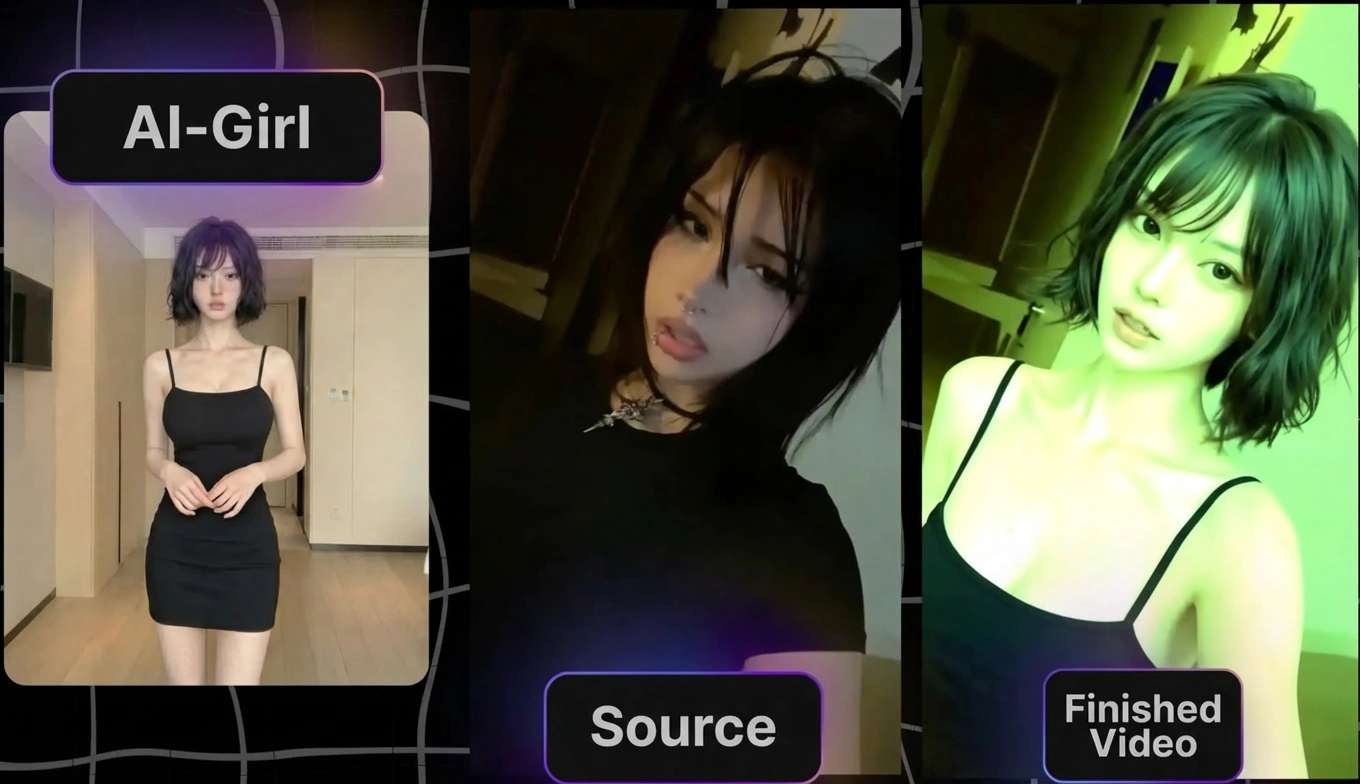
Moreover, professionals use a combination of references taken from a live blogger and the neural network Kling Motion Control or Wan AI. A photo of your character is taken, the source video that has already hit the trends is thrown into the neural network — and at the output you get your masterpiece.
And it is not necessary to invent the character's appearance from scratch either: it is much easier to go to a conditional Pinterest, choose a few models you like, and ask Nano Banana to combine their features in one image, and then tweak the individuality if desired.
To improve the quality of generation, it is important to fix the character's appearance as rigidly as possible. Any understatement in the description leads to the model starting to "float": the shape of the eyes, chin, and facial expression change. Using the original photo as a mandatory reference helps to preserve the integrity of the image and makes the character recognizable.
Composition directly affects the perception of the image. Even with a well-generated face, an unsuccessful angle or an overloaded background makes the frame artificial.
It is not necessary to use exactly the set of tools that we talked about in the article. Now there is a huge number of neural networks for generating images, videos, animations, and voiceovers. The market is developing very fast, new models with more accurate face fixation regularly appear.
You can independently combine tools for your tasks: generate an image in one system, refine it in another, animate it in a third, and edit it in a fourth.
There are also specialized solutions for different niches. For example, separate models are used to create adult content. They allow generating more explicit scenes and specific scenarios that are not available in standard public services.
Conclusion
Already today, a simple combination of neural networks allows you to build a full cycle of creating and monetizing an AI model — from concept development to a finished video for social networks and subscription platforms. In the coming years, the market will move towards a stable visual identity of AI characters, where appearance is preserved without distortion in any angles, scenes, and content formats. In parallel, the naturalness of micro-expressions, movement plasticity, and speech synchronization will improve, making digital models as close to real people as possible.
Frequently Asked Questions
To create an AI video model, a combination of tools is used: first, image generators to develop a photorealistic character and fix their appearance, then services that allow creating a series of frames while preserving the face in different angles and scenes, and after that — video.
You can create an AI model for free using free plans and trials of image and video generators. The free functionality is enough to test a niche and launch a pilot account, but with regular content production, limitations on the number of generations, video length, and render quality quickly arise.
To make an AI model look the same in different angles and outfits, you need to: use the original image as a mandatory reference, detail the facial parameters in the prompt, and work with multiple angles of the same model. The more precise the description and the more stable the image base, the higher the visual consistency of the character.
AI video models are used on Instagram, TikTok, YouTube Shorts, in advertising, and on subscription platforms. They are applied for lifestyle content, brand promotion, digital influencing, and arbitrage projects. Thanks to automated generation, you can regularly release content without traditional filming, a studio, or a production team.