How to Choose an Antidetect Browser for Arbitrage

Advertising platforms like Facebook, Google Ads, or TikTok are constantly improving their anti-fraud systems and analyzing dozens of user device parameters. Everything is taken into account: screen resolution, the list of system fonts, browser settings, WebGL features, and other elements of the digital fingerprint.
Because of this, simply spoofing an IP address via a proxy or VPN is no longer enough. Even if the IP is different, the advertising platform can detect a match by the device fingerprint and quickly link multiple accounts together. As a result, the entire network can face restrictions or a ban.
That is exactly why a high-quality antidetect browser for arbitrage is a basic tool for working with advertising accounts. Such software hides the real IP and spoofs the device's digital fingerprint. Today, there are several dozen similar solutions on the market, and most of them promise practically the same set of features. But how do you choose a working option?
In this article, we will break down which parameters of an antidetect browser you should pay attention to and how to choose a tool for safe multi-accounting.
Key characteristics of an antidetect browser
When choosing an antidetect, it is best to start from the tasks and platforms you plan to work with. The requirements of anti-fraud systems vary significantly across different platforms. For example, Facebook (Meta) is usually less demanding regarding the perfect cleanliness of a digital fingerprint than Google Ads or crypto platforms like CoinList. Therefore, from a technical point of view, almost any modern antidetect browser is suitable for working with Facebook.
Accordingly, if your focus is Facebook, completely different priorities come to the forefront:
- Basic and stable functionality: fast profile creation, correct handling of cookies.
- User-friendly interface (UX/UI): basic actions, such as linking a proxy to a profile, should be performed quickly and without unnecessary settings.
- Affordable cost: the availability of cheap starter plans or fully free tiers for beginners.
However, if you look at the market as a whole and choose an antidetect browser with scaling in mind, people usually focus on five key parameters.
1. Quality of fingerprint spoofing
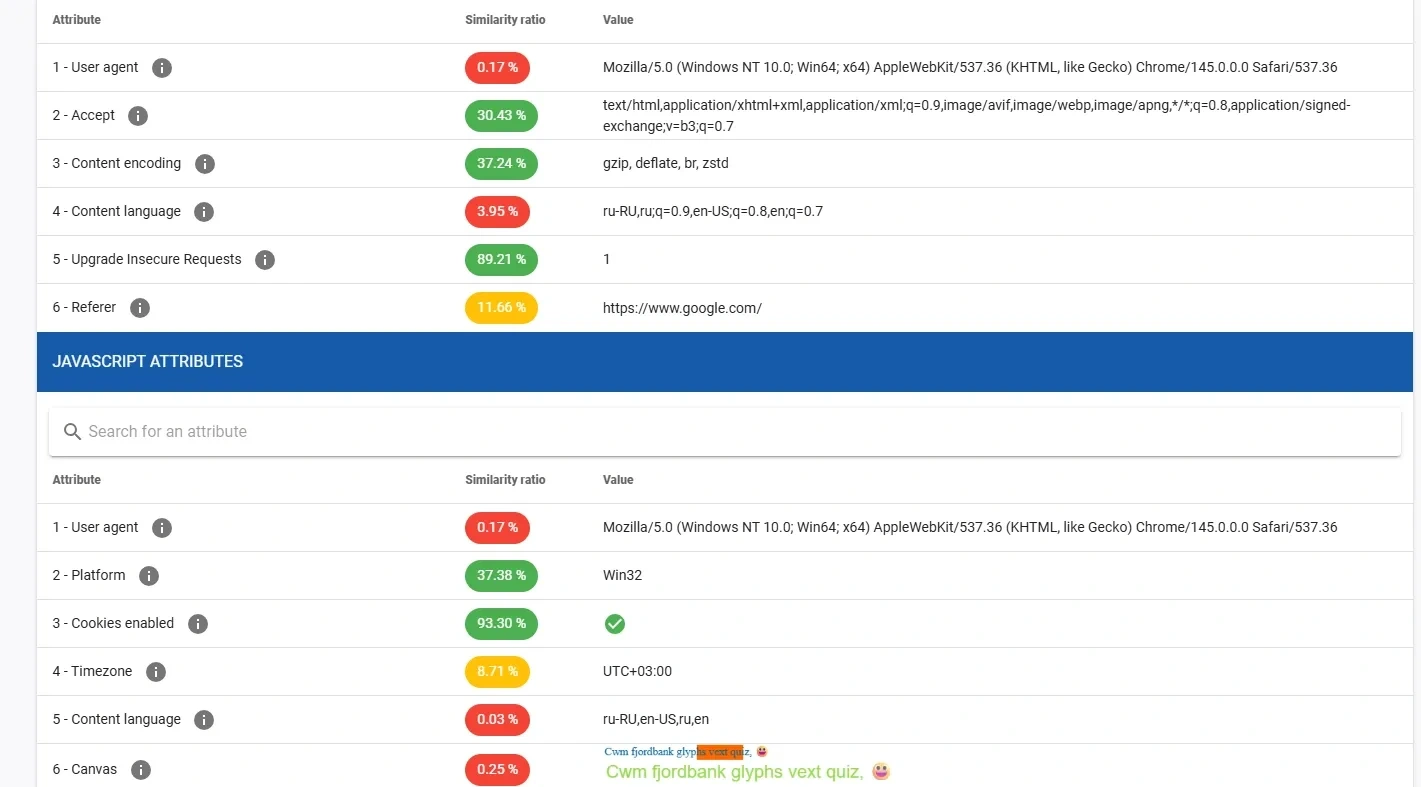
This is the core of any antidetect. The program should not just block the transmission of your real data (otherwise you will become suspiciously "anonymous"), but competently spoof them with realistic ones.
Key requirements:
- Realism instead of uniqueness. The fingerprint should not be 100% unique. An ideal fingerprint blends in with millions of regular internet users.
- Operating system matching. If you work from a Windows PC, the browser must accurately emulate Windows profiles. Attempting to emulate macOS on a Windows device often leads to leaks at the font rendering level, which is instantly detected by anti-fraud systems.
- Regular core updates. A good Chromium-based antidetect should update its core following official Google releases. Some solutions (for example, GoLogin) lag behind by 2–3 versions. For Google's algorithms, this is a glaring anomaly that lowers account trust.
2. Proxy management
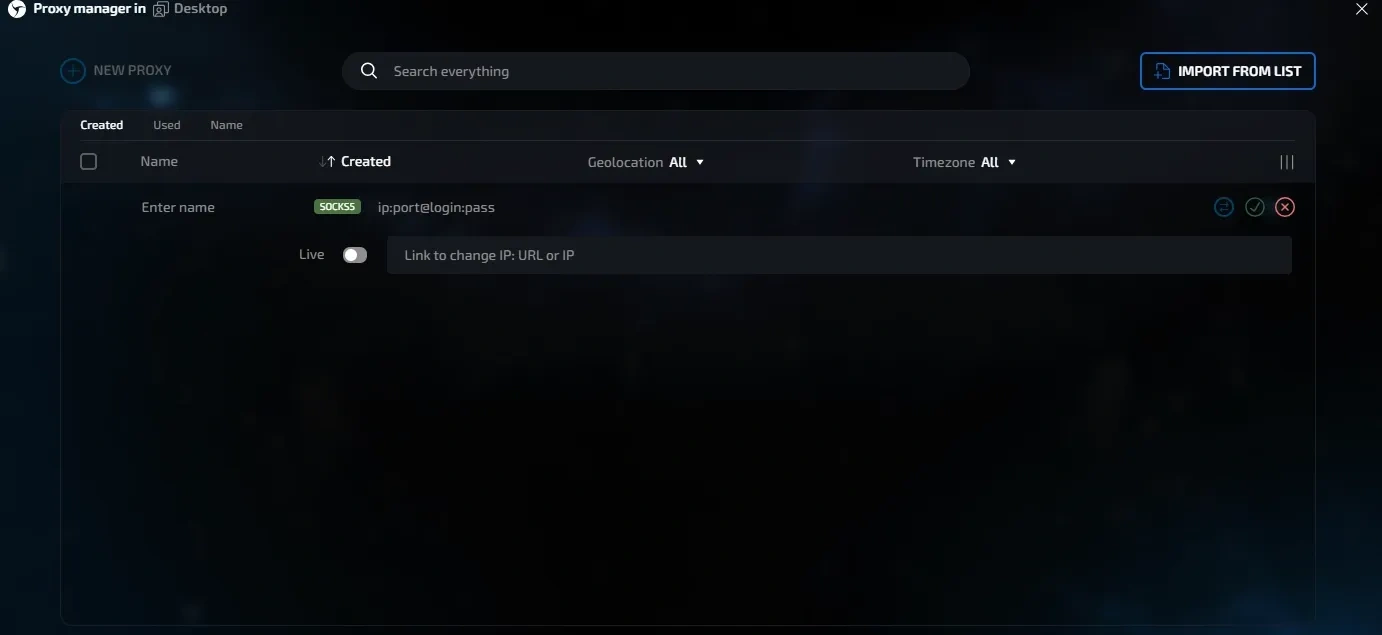
Working with dozens of accounts implies using at least the same number of proxy servers. Entering every IP and port manually is a waste of time.
Accordingly, an antidetect must have convenient tools for working with proxies:
- Proxy manager — the ability to bulk upload proxies as a list (with automatic format parsing).
- Performance check — a built-in checker to verify validity and connection speed right in the interface.
- Automatic rotation — if you use mobile proxies, the browser should support changing the IP address via a link in one click.
3. Convenience of working with profiles
When you have 5 accounts in operation, managing them is easy. But if there are 100, it is difficult to work without a management system. Therefore, an antidetect browser must have convenient tools for working with profiles:
- Grouping — tags, folders, statuses (e.g., "farming", "banned", "active"), and note fields for each profile.
- Bulk actions — starting, stopping, deleting, or transferring dozens of profiles in a few clicks.
- Shared access — flexible permission settings for a team: a farmer sees only their own accounts, a team lead controls the department, and the owner has full access.
4. Automation and integrations
Routine should not take up time that could be spent searching for working bundles. Therefore, automation tools are important in an antidetect browser:
- API and automation — the availability of an open local API for automating account warm-up via scripts based on Puppeteer, Selenium, or Playwright.
- Integrations — compatibility with popular auto-uploaders (e.g., Nooklz).
5. Security and reliability
Accounts in arbitrage are not just consumables, but an asset, so the reliability of an antidetect browser plays a critical role. It is important to pay attention to two parameters:
- Encryption — profile data (especially cookies and sessions) must be encrypted on the user's side to reduce the risk of leaks.
- Stability (Uptime) — profiles are stored in the cloud, so it is important that the service works stably and without frequent crashes.
Also, when choosing an antidetect browser, it is important to consider the cost of the service and the quality of support:
- Pricing plans — the ability to choose a plan for your volumes without overpaying for extra slots.
- Free trial — the availability of a trial period to test the software in real work.
- Support — support should respond quickly and understand technical issues.
Taking these factors into account, many beginners start working with Linken Sphere. The service has a free tier for 5 profiles with no time limits, and the basic paid plan costs $30 and includes 30 profiles.
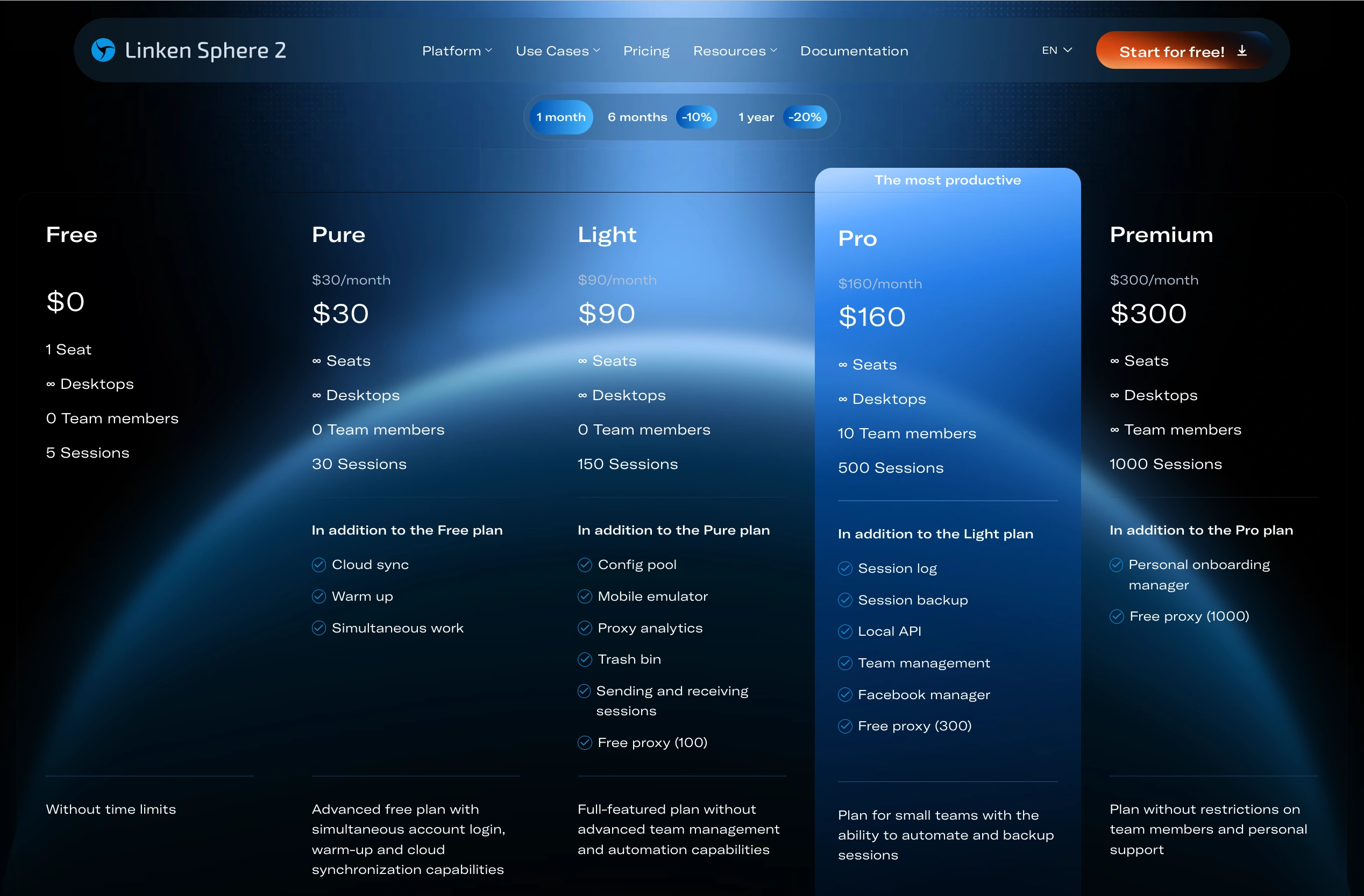
For teams, this tool can also be a convenient option. The Premium plan allows connecting an unlimited number of members.
If we look at the economics of a 10-person team with 1,000 profiles, the situation looks like this: Linken Sphere will cost $300 per month, Dolphin{anty} — about $549 per month, Octo Browser — about $427 per month.
Beginners should avoid little-known and free antidetect browsers, which are often distributed on forums. The quality of fingerprint spoofing in such solutions can be low, causing accounts to get banned faster, and the interface can be peculiar.
In practice, most teams use proven market tools — for example, Linken Sphere, AdsPower, or Dolphin. If we talk about the quality of fingerprint spoofing for the most demanding traffic sources, Linken Sphere, Vision, and Octo Browser are most often named among the strong solutions.
How to choose the right antidetect browser
The selection process does not come down to looking at advertising promises. It is better to follow a clear algorithm.
Step 1 — determine your needs. Which platforms do you plan to work with? For Facebook, basic solutions are usually enough, while for Google, the highest possible anonymity is critical. You also need to calculate in advance how many accounts you plan to manage simultaneously and what budget you are willing to allocate for the software.
Step 2 — study the market. Watch reviews from specialized arbitrage media and comparisons on YouTube. Visit the official websites of the services and carefully study the pricing plans, especially the conditions for adding additional team members. You can also ask questions to practitioners in thematic Telegram chats.
Step 3 — test the service. Take advantage of the free trial period and test the browser in real work:
- create several profiles and connect proxies
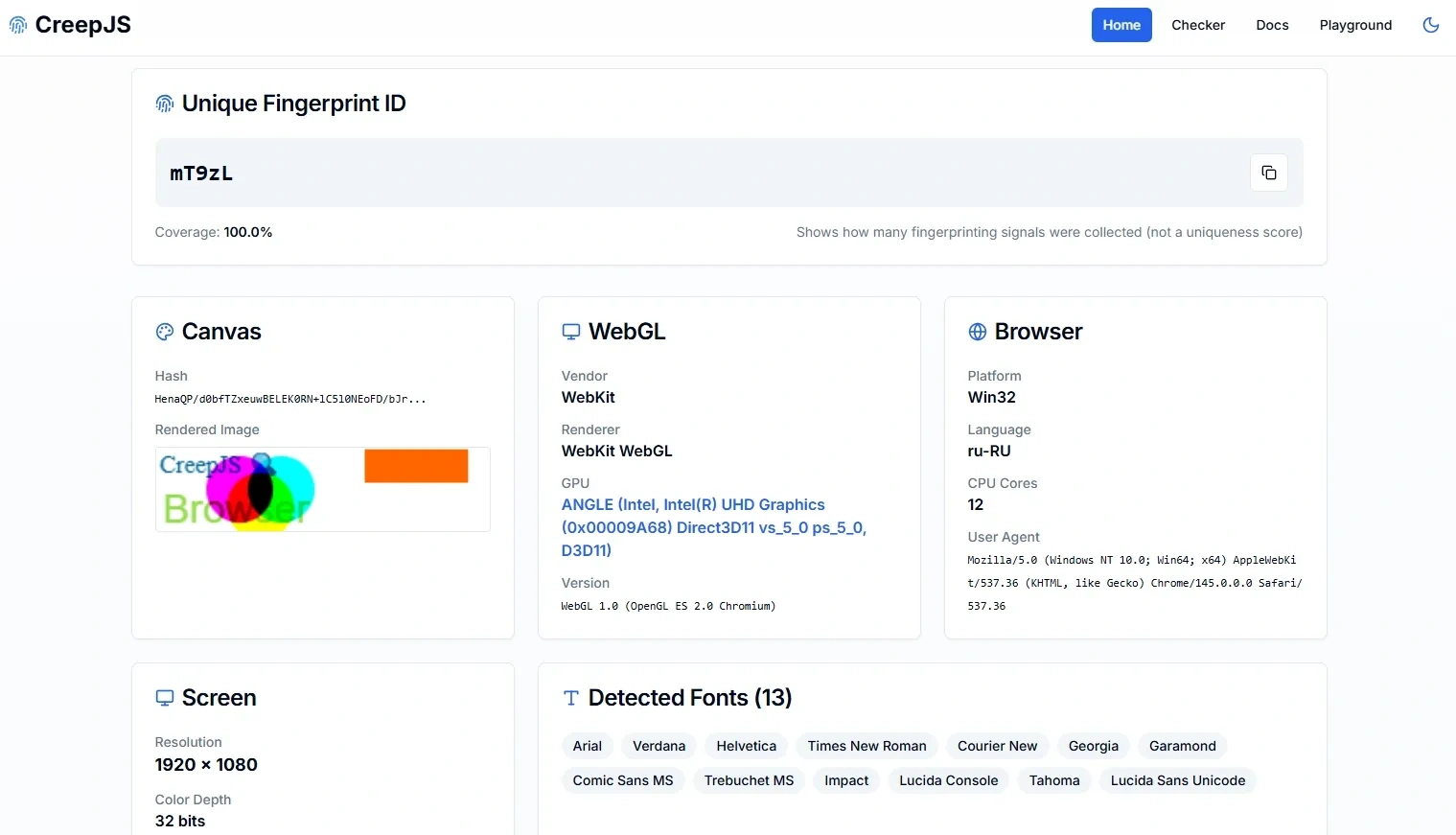
- run them through checkers (Pixelscan, AmIUnique, CreepJS) to ensure there are no WebRTC leaks and fingerprint issues
- evaluate the convenience of the interface
- write a technical question to support to check the speed and quality of the response.
Step 4 — make the final decision. Choose a tool that does not slow down your work, fits your budget, and meets the requirements of the platforms you work with.
Conclusion
An antidetect browser is one of the basic tools in traffic arbitrage. It does not guarantee the absence of bans, but without it, it is impossible to build stable work with multiple accounts. Summing up, we can say that choosing Linken Sphere will be a universal solution for arbitrage:
- For working with Facebook and basic tasks, the antidetect is suitable due to its user-friendly interface and loyal pricing.
- For more demanding traffic sources, Sphere will provide high-quality spoofing, UDP support, and timely browser core updates.
- For teamwork, it will save the budget due to the ability to add an unlimited number of members.
Frequently Asked Questions
An antidetect browser is software based on popular web engines that allows you to change or mask your computer's digital footprint (fingerprint). Affiliate marketers need it to create multiple isolated profiles on a single PC. Advertising networks see each such profile as a unique user, which prevents mass bans of the entire account network.
Theoretically, yes, if you run ads from a single personal account. But in professional media buying, accounts are consumables; they constantly get banned. Using a regular browser (even in incognito mode and with a VPN) will result in anti-fraud systems instantly linking all your new accounts by hardware and blocking them.
The main rule is strict GEO matching and isolation. One profile = one high-quality proxy. If you bought a Ukrainian account, the proxy must also be Ukrainian. When creating a profile, choose an operating system that matches your real one (i.e., Windows for Windows). Before launching ads, be sure to 'warm up' the profile by gathering cookies on regular websites so that the browser history looks natural.
The digital fingerprint is generated once when creating a specific profile and is never changed again. This is the whole point: algorithms must see that the account is consistently accessed by the same person from the same 'device'. Fingerprints only change between different profiles.
For beginner affiliate marketers, solutions with an intuitive interface and free plans are ideal to master the mechanics without investments. An excellent option would be Linken Sphere (provides 5 profiles for free forever) or the basic plans of AdsPower.