Why Browser Incognito Mode Cannot Replace Antidetect When Working With Traffic
Incognito mode is still perceived as a tool for anonymity. The logic seems simple: the browser doesn't save history, deletes cookies after the session, and doesn't remember form data, which means you don't have to worry about account privacy.
The problem is that incognito mode does not change your digital fingerprint or isolate accounts, so to websites, you are still the exact same user.
In this article, we will analyze in detail exactly how websites identify users, why basic anonymity tools are not enough, and how antidetect browsers solve this problem on a technical level.
How incognito mode actually works
Incognito mode is a local "sandbox" within the browser. It is not designed to protect against tracking and does not hide the user from websites. It performs a few basic tasks:
- does not save browsing history
- deletes cookies and cache after closing the tab
- does not remember entered data, including logins and forms
This mode is convenient if you are using someone else's computer or searching for a gift in secret from your loved ones. In this case, logins and search history are not saved and will not catch their eye.
All of this only works within the browser. Anonymous mode does not hide your IP address, does not encrypt traffic, and does not change device parameters. For websites and anti-fraud systems, it is the same user with the same device and the same set of parameters.

How websites track users
Websites have long stopped relying exclusively on IP addresses and cookies. These methods are easily bypassed by basic tools, so security systems have moved to a new level. Today, the primary and most reliable method of identification is the browser fingerprint (Browser Fingerprinting).
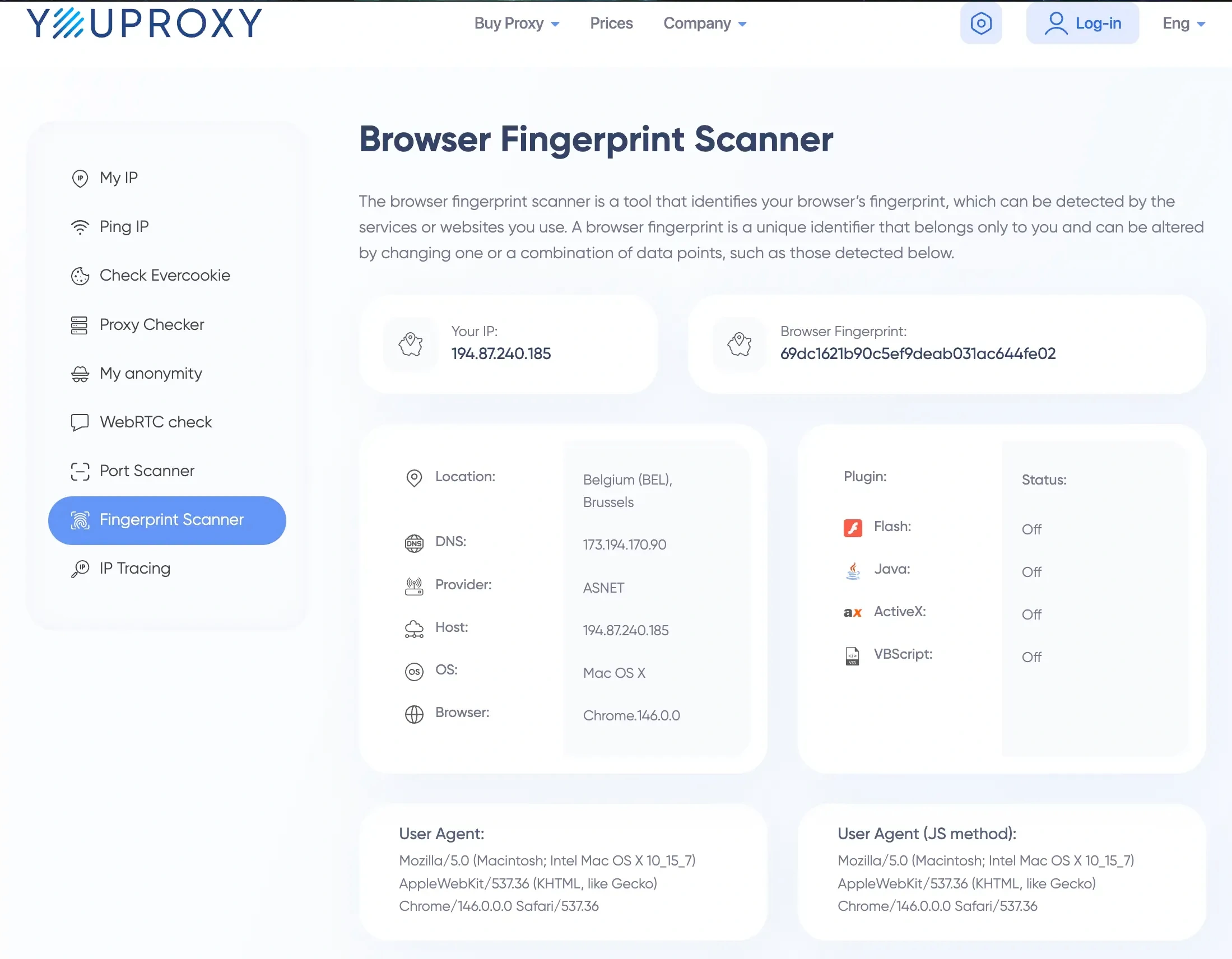
This is a unique set of technical parameters of your device that is generated automatically and invisibly to you the very moment you visit a site. The platform's scripts query your system in milliseconds and collect data. This array includes:
- Graphics characteristics (WebGL, Canvas). The website sends a hidden command to your graphics card to render a 2D or 3D shape invisible to the eye. Due to microscopic differences in chip architecture, driver versions, and operating systems, the final render is always mathematically different. The system remembers this unique graphical hash.
- Audio processing (AudioContext). A similar principle applies to sound. A low-frequency audio signal is generated and run through your sound card's algorithms. The way your hardware distorts the sound wave forms a unique audio fingerprint that cannot be hidden by standard settings.
- Number of CPU cores and memory size. Through basic JavaScript commands, the site instantly learns your computing power. This narrows down the search: if you have a 16-core processor and 32 GB of RAM, you already stand out from the mass of users with office laptops.
- User-Agent (OS and browser). A basic text string that tells the target server the version of your browser and operating system.
- Screen resolution. It analyzes not only the standard monitor resolution (e.g., 1920x1080) but also the available workspace (taking the taskbar into account), color depth, and individual system scaling parameters.
- List of installed fonts. One of the most accurate markers. The script checks for the presence of hundreds of different fonts on your system. Your personal set of standard and downloaded designer fonts is unique and identifies you more accurately than a passport.
- System language and time zone. Websites read your system time settings and language priorities in the browser. If they conflict with the geolocation data of your IP address, the anti-fraud system instantly flags you as a suspicious user.
Additionally, WebRTC technology is actively used. It is designed for direct audio and video calls through the browser, but its main vulnerability is that it can reveal your real local and public IP addresses even when working through a reliable proxy server or VPN application.
All these parameters are gathered together like pieces of a puzzle and form a unique device profile. And the main problem is that neither a trivial IP address change nor opening a new tab in incognito mode affects this data array in any way. The security system will still see the exact same user behind the exact same computer.
How antidetect differs from incognito
While incognito mode is an attempt to delete local traces after a session, an antidetect browser is a rework of the browser itself at the architectural level. Typically, such solutions are built on custom builds of Chromium or Firefox and spoof core data.
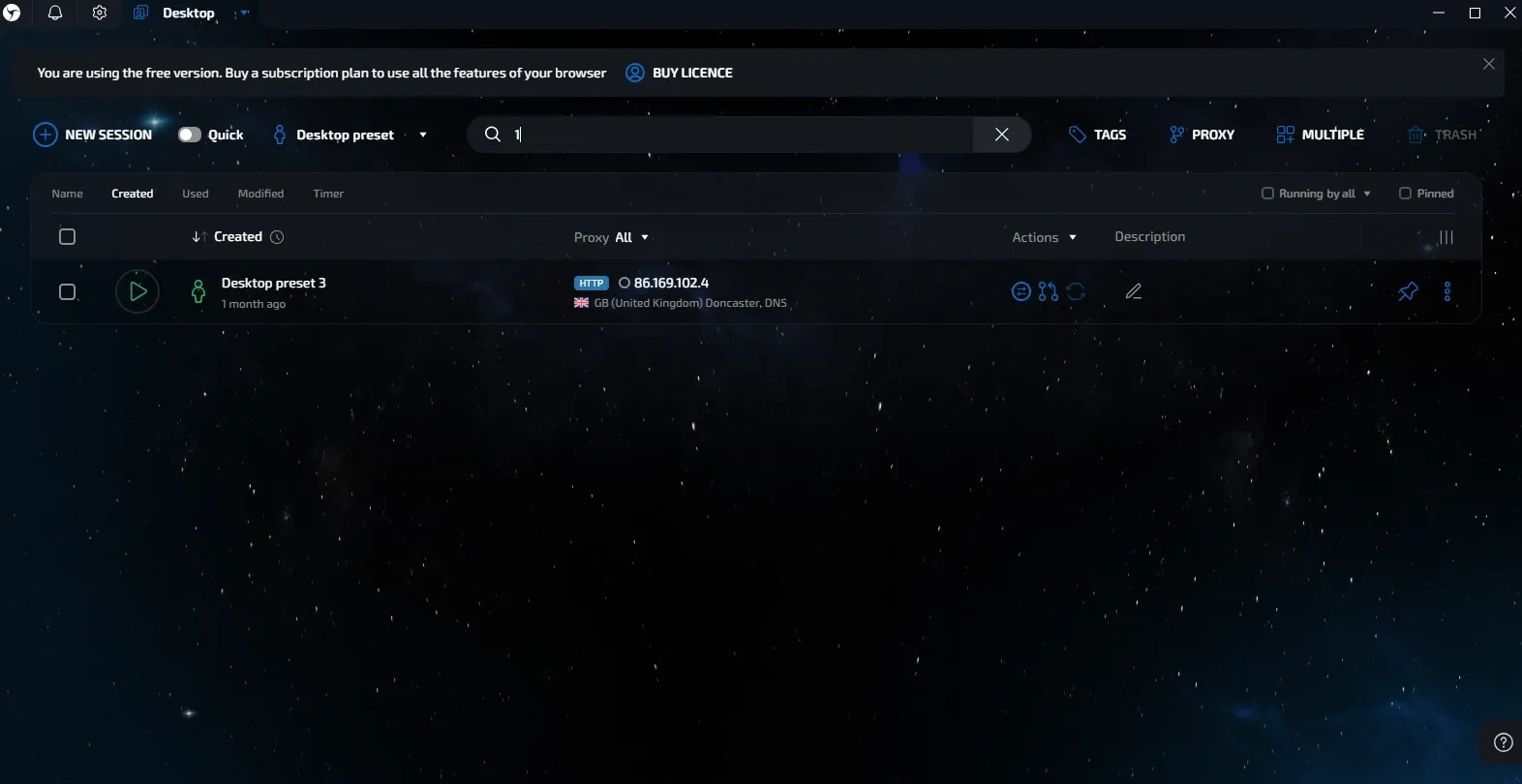
An antidetect browser hides data while transmitting a correct and logical set of characteristics to the system. These parameters look just like those of a regular user, but at the same time, they form a separate profile.
Let's look at how this is implemented on a technical level.
Hardware fingerprint spoofing
An antidetect browser is not limited to changing the User-Agent. It interferes with the browser's interaction with the device. When processing graphics (WebGL, Canvas), a controlled distortion is added, which changes the final hash.
At the same time, the system continues to see a real graphics card, but with unique characteristics. AudioContext, MediaDevices (cameras and microphones), and system fonts are processed similarly. In advanced solutions, such as Linken Sphere, databases of real fingerprints are used so that the profile looks like a regular device.
Isolated data containers
Incognito mode deletes cookies, but modern trackers use other storages as well: LocalStorage, IndexedDB, Service Workers, and similar mechanisms. In an antidetect browser, each profile is a separate environment with its own data storage system. Profiles do not overlap with each other. Upon re-entry, all session data is preserved.
Traffic routing through proxies at the core level
Using proxies through extensions in a regular browser often leads to leaks. For example, WebRTC can transmit the real IP directly. In an antidetect browser, the proxy is integrated deeper—at the network stack level. All traffic passes through a specified node. If the connection drops, a protection mechanism is triggered, blocking data transmission and preventing the real IP from leaking.
Risks of using incognito mode for multi-accounting
Using incognito mode for multi-accounting in modern conditions carries a high risk of detection. Outwardly, it seems that the profiles are separated, but at the system level, they remain linked.
Let's look at how this happens in practice.
Imagine a situation: you open several incognito tabs and try to register multiple profiles via VPN on a platform with anti-fraud protection. The email and IP will differ, but the device parameters remain the same.
What happens next:
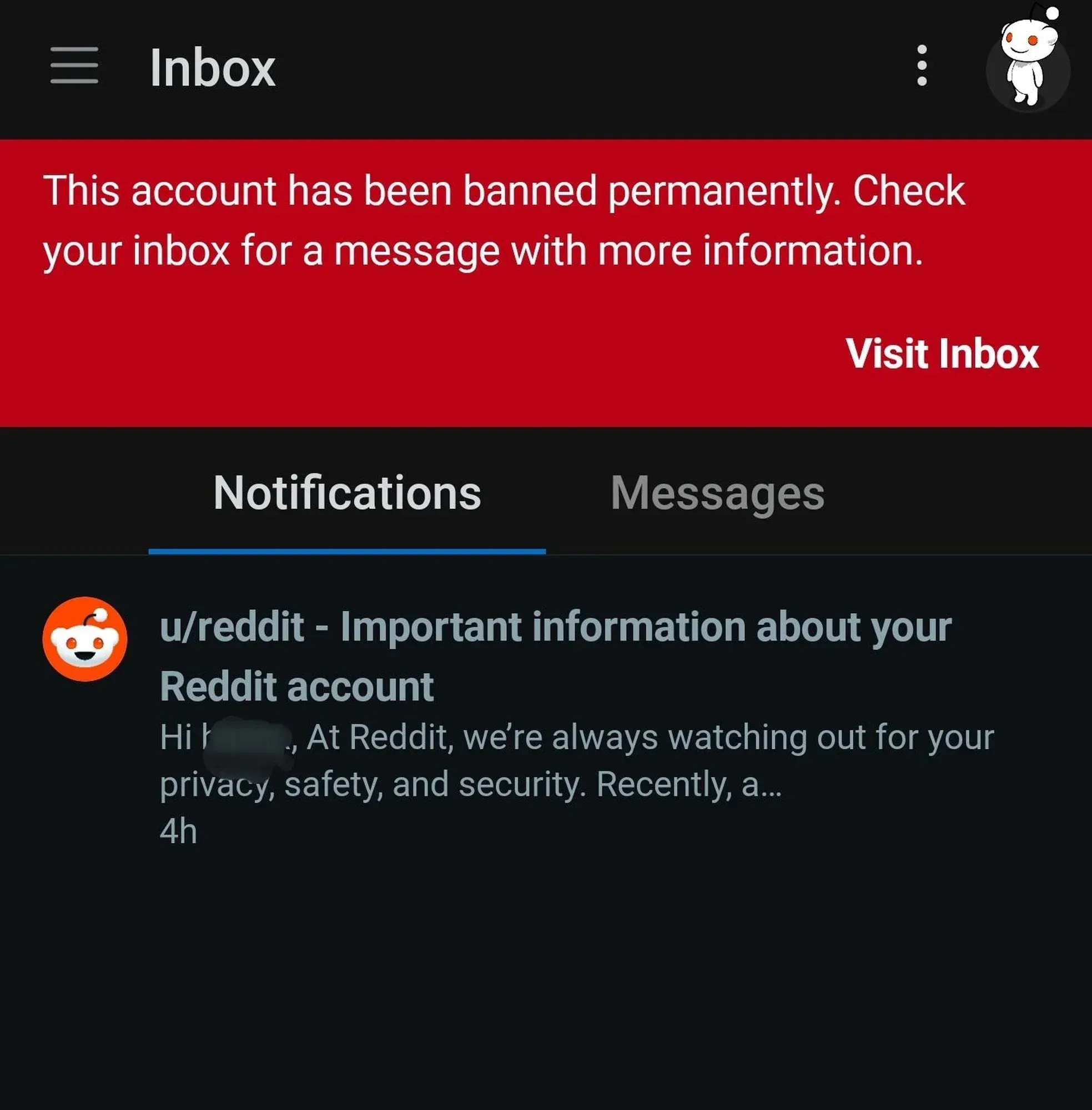
- Linking profiles by fingerprint. The system collects the technical parameters of the device during each registration. Despite different emails and IPs, the fingerprint matches: graphics, fonts, screen, system characteristics. This is enough to link the profiles together.
- Shared restrictions. Linked profiles will be analyzed together. If one of them raises suspicion, restrictions are applied to the others as well.
- Drop in trust. Instant blocking does not always follow. More often, trust is reduced first: working conditions worsen, restrictions appear, and instability occurs.
- Freezing of funds. In case of blocks, funds on the balance may get stuck without the possibility of withdrawal—across the entire network of accounts.
- Problems with new registrations. The device gets added to a suspicious list. New registrations from it go through worse or immediately receive restrictions.
Task separation: when you need incognito and when you need antidetect
These tools solve different tasks. Incognito mode is needed for local privacy within the browser. Antidetect is for isolating profiles and working with multiple accounts without overlaps.
When incognito mode is enough:
- Checking search results without personalization. Viewing search results or recommendations without the influence of browser history.
- Logging in from someone else's device. Quickly logging into email, a messenger, or a service without leaving saved data.
- Bypassing simple restrictions. Reading materials on websites with a limit on the number of views.
- Website testing. Checking how a site opens for a new user without saved data.
These scenarios do not require separating profiles at the system level. Clearing local data and starting a new session is sufficient. When it comes to working with multiple profiles, the requirements change. In such tasks, incognito mode can no longer cope.
When an antidetect browser is indispensable:
- Working with multiple profiles. Any tasks where it is important that profiles do not overlap with each other.
- Traffic arbitrage and advertising. Managing multiple accounts and launching different campaigns without overlaps.
- E-commerce. Running multiple stores or accounts on platforms with strict rules.
- SMM and farming. Mass work with social networks, warming up, and managing multiple profiles.
Conclusion
Incognito mode is a tool for local privacy, not anonymity. It does not protect against anti-fraud systems, does not hide the device, and does not prevent accounts from being linked together. Attempting to use it for multi-accounting almost always leads to blocks and loss of money. An antidetect browser solves this problem differently: it creates a separate, logical, and plausible digital identity for each profile. It is this approach that allows for stable work with traffic and reduces risks.
Frequently Asked Questions
No, it cannot. A VPN service only changes your external IP address and encrypts traffic, while incognito mode deletes local cookies and history after the window is closed. However, the device's digital fingerprint remains unchanged. The target site's anti-fraud system will ignore the IP change and instantly link all your accounts together based on hardware, getting them banned.
The answer depends on the quality of the software used. Free or outdated solutions often try to simply block tracking scripts or apply artificial, mathematically incorrect "noise" to Canvas. Security algorithms (such as Cloudflare Turnstile or Akamai) easily notice this.
No, this is a direct path to getting blocked. The User-Agent is just one text string out of hundreds of parameters in your fingerprint. If you set an Apple smartphone User-Agent, but the anti-fraud system sees that your screen resolution is 1920x1080, specific Windows fonts are installed, and the mouse has a classic desktop cursor, a critical mismatch will occur. The security system will instantly realize that you are trying to deceive it.
Sometimes yes, but it is an unjustified risk. If you log into 5 different accounts on a platform with strict moderation from a single home IP address, the system may block the entire network of accounts.
Virtual machines lose heavily to antidetect browsers for three reasons. First, they consume an enormous amount of PC resources (you won't be able to run 50 VMs on an average laptop, whereas 50 browser profiles is easy). Second, scaling work and transferring VMs to a team is extremely inconvenient. Third, basic virtual machines transmit specific markers to websites by default (for example, VMware SVGA II video card drivers).
Yes, absolutely legal. An antidetect browser is simply a specialized tool for managing digital identity and protecting privacy. It is widely used by marketing agencies, SMM specialists, testers, and developers for legitimate business tasks.